MSP Comparisons
Explore independent comparisons of Corporate Technologies and other Managed Service Providers (MSPs) across various cities and states. This category helps business owners evaluate local IT providers by highlighting key differences in pricing, service quality, and IT solutions. Understand how these factors impact your decision-making to choose the best MSP for your business needs.
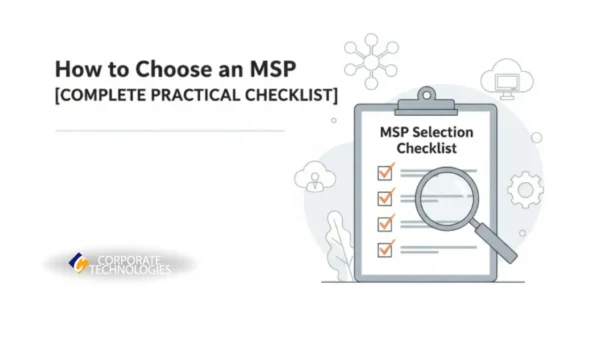
TL;DR Don’t just compare features, test how MSPs actually perform. Ask who handles your first-line support, request a clear response matrix and staffing model, review real onboarding timelines, request sample reports, and always run a small trial project before committing. Red flags include budget-focused conversations, vague tool stacks, and extended contracts without proof of quality. The best MSPs keep stable teams, document everything, show up on-site, and respond with ownership, not excuses. When you find an MSP that checks all these boxes (like Corporate Technologies does), you’ve found a partner worth keeping. Why Choosing the Right MSP is Harder Than It Looks When you try to pick a managed IT provider, every option feels identical. Every MSP claims fast response, firm support, and smooth service, so it becomes difficult to tell who actually delivers. Many business owners end up unsure because they do not know which questions reveal how an MSP truly works behind the scenes. You might fill out lengthy questionnaires, compare service packages, or sit through detailed calls, yet still feel uncertain. That happens when a provider looks polished on paper but behaves very differently once they are responsible for your systems. Slow responses, unclear ownership, and surprise gaps appear only after they start managing your environment. To keep that from happening, you can use a simple, proven checklist that shows how an MSP performs in real situations. Here is the checklist you can follow when you want to see whether a provider is the right fit, rather than an MSP that just presents well during the sales process. First Check: How Well an MSP Understands Your Business Needs Your first signal comes from the way a provider handles your tools and setup. Strong MSPs do not ask you to choose the stack yourself. They guide you. When an MSP turns everything into a menu and wants you to pick the security tools, backup tools, or monitoring tools, that usually means they are avoiding responsibility. It also leaves you carrying the risk if something breaks later. A solid partner can explain why their stack exists the way it does. They talk through the choices in simple language so you can see how each piece supports your systems. This is where Corporate Technologies does well. They walk through the logic behind their setup so you understand how each tool connects to the next instead of guessing. You also want a provider that understands your field. When an MSP has no experience with your industry, you end up with delays, missing requirements, and mistakes that cost you later. An MSP familiar with your environment already knows what your workflows look like and what protections you need, so you do not spend months fixing avoidable issues. Second Check: How they Handle Support, Responsiveness, and Accountability You should start by asking who actually answers your tickets. Many providers that call themselves local push the first line of support to another team somewhere else. When that happens, you get slow replies, basic fixes repeated over and over, and escalations that never resolve anything. You need to know exactly who touches your systems the moment a ticket arrives. You should also ask for a clear response matrix. This includes the reaction window, the SLA, the escalation path, and when an engineer will come onsite. If a provider cannot show this in a simple format, you end up carrying the risk during downtime. A structured MSP can walk you through this without hesitation. Staffing matters just as much. Some MSPs replace engineers so often that you keep re-explaining your setup and losing time you never get back. When you see a company like Corporate Technologies keeping stable teams, you know your onboarding will not repeat every few months. You should also check how your environment is documented. Weak documentation leads to repeated outages, lost settings, delays, and hours wasted on work that should have been done once. A reliable provider keeps everything written in a way that any engineer can take over without rebuilding your entire environment. Third Check: How they Manage your Cloud, Costs, and Security You should start by asking how they handle your cloud setup. This is where most hidden waste appears. Many owners only discover orphaned Azure resources, licenses billed for people who left months ago, and virtual machines doing nothing after the contract is signed. You can avoid all of this by requesting a cloud resource export before moving forward. Security is an important part where you need clarity. A lot of providers say they are serious about protection, but they barely manage MFA, patching, or monitoring. You should ask what they review every month and how they confirm that those controls are actually in place. A strong MSP can show this without digging through scattered notes. Forrester’s research on managed services providers focuses on the fact that superior onboarding is a key differentiator between Leaders and average providers. A thorough onboarding process, one that helps the provider gain a detailed understanding of your environment before execution begins, directly correlates with better service delivery, fewer surprises, and more efficient use of service time. You should also know who is responsible for account cleanup, patching, backups, and your 365 or Google admin work. When this is unclear, basic tasks stretch out for months. A company like Corporate Technologies straightforwardly handles these responsibilities, so you always know who manages what. Fourth Check: What their Onboarding and Reporting Look Like You can understand a lot about an MSP by asking for a sample onboarding timeline. Many owners end up waiting months for basic cleanup because the provider is handling too many clients at the same time. A clear timeline helps you see whether they have the capacity to take on your environment or if you will be joining a long queue. According to ISG’s research on service provider excellence, top-performing managed services providers are consistently rated on six key criteria: collaboration, execution quality, governance, thought leadership, cultural fit, and business continuity. This
Corporate Technologies and Network Center are two managed service providers in Fargo, North Dakota. If you’re a small business in the area and need IT support, you’ve probably done some research on both corporations. This guide does a comparison of both MSPs and provides you with the information you need to make a decision. Comparison Table for Provider Plans and Services The table below lists all the major concerns for most small businesses when they seek out IT help. The biggest takeaway from the comparison chart is that Corporate Technologies has a wider range of supported cities and includes unlimited support in their Total Advantage plan. Network Center also has a plan for small businesses named FlexCare, but it’s separated further into two pricing plans. Small businesses can stick to the budgeted pricing, but it means any additional services would be billed as an extra expense. This can balloon pricing should you need any extensive work during unplanned business growth or a cybersecurity incident. Feature Corporate Technologies (CT) Network Center Support Availability 24/7 support. After-hours, weekends, emergency support across North Dakota 24/7 support with an online portal On-Site Support Included in Total Advantage® (unlimited) On-site available with FlexCare plan ND Locations Multiple North Dakota locations Three offices in Fargo and surrounding cities Pricing Model Transparent per-user; no overage fees in higher tiers Two pricing plans: Budgeted and Unlimited Cybersecurity Stack Secure Advantage™—advanced multi-layer security Remote and physical security SLA Transparency SLA by package (response times, escalation) Not listed on site Money-Back Guarantee 60-day money-back guarantee None publicly listed, but promotes no long-term contracts For each of the line items in the comparison table, we detail them in the sections below. Breakdown of Corporate Technologies and Network Center Services by Business Size For local small businesses, a small local MSP might seem sufficient. Should your business expand into surrounding areas, you could lose standard support, especially onsite support. Network Center focuses on extremely small businesses with a local Fargo presence. Corporate Technologies has Fargo IT support that spans the major Fargo area and several surrounding cities. Should your business expand to other locations or states, Corporate Technologies has IT support across the US and a wider range of local cities. Comparison of Support and Service Models Both MSPs have their own pricing plan with Corporate Technologies being much more transparent. With Corporate Technologies, you get unlimited support (including onsite support) with their Total Advantage plan. The pricing plan has a set per-user cost paid monthly. With Corporate Technologies, you have no hidden costs that could surprise you when you need more service. Check out the Corporate Technologies IT cost estimate calculator to get a better idea of the budget requirements for your small business. Network Center also has a pricing plan called FlexCare. FlexCare is further broken down into Unlimited and Budgeted. According to the Network Center list of services under FlexCare, small businesses have some limitations on what services they get without any additional costs. The Budgeted plan has further limitations. Although Budgeted offers lower costs to the small business, you will need to add to your service if your business expands or you need additional IT support that isn’t covered by your current plan. Both service providers offer 24/7 IT support. It’s unclear if Network Center has 24/7 onsite availability, but Corporate Technologies offers unlimited availability for small businesses under its Total Advantage plan. This type of support is critical if you have an IT issue in the middle of the night or have off-hours remote workers. Total Advantage ensures that your staff always have support even when no one is in the office. Pricing Comparison Between Corporate Technologies and Network Center Corporate Technologies has a transparent per-user pricing plan, and businesses pay monthly. Because it’s per-user, your costs are set until your business grows. Network Center takes a different approach to the way it bills customers. Businesses pay for services when they have the Budgeted pricing plan. Paying for only the services that you currently need could be an advantage, but most small businesses are unaware of what they need for IT support. As an example, you might think that you don’t need cloud support currently, but you might decide later that you want cloud-based backups for disaster recovery. This additional service would add to the cost of your IT support in the next months. Cybersecurity Services Comparison in Fargo Whether you have one user or hundreds of users, your small business is a target for cyber-criminals. Like standard IT support, most small businesses don’t know what they need to protect their data. Corporate Technologies Secure Advantage plan gives you everything necessary to protect from threats. Here are a few services you get: Network Center also offers cybersecurity services. One aspect of their services is their physical security. Here are a few publicly listed services from Network Center: Local Onsite IT Support in Fargo Corporate Technologies and Network Center offer onsite support. It’s unclear if Network Center offers unlimited onsite support with its FlexCare pricing plan. Corporate Technologies offers unlimited support with its Total Advantage solution, so your small business always has 24/7 help desk support and technicians available locally should you need it. Network Center has an online portal where you can create tickets and potentially talk to a person, but some small businesses might prefer the availability by phone that Corporate Technologies offers. A help desk is where service begins, and a technician can be sent should you need physical hardware support. Corporate Technologies also offers proactive support, so you don’t need to suffer through downtime to get service for a specific incident. For example, security updates to firmware proactively stop known threats. Corporate Technologies 60-Day Money-Back Guarantee Only Corporate Technologies has a 60-day money-back guarantee. Network Center talks about low-risk monthly contracts with no long-term commitments, but it still adds risks to your IT budget. Many small businesses are unsure if they can properly use a managed service provider, so Corporate Technologies offers a risk-free
If you’re a small business in San Diego and need IT support, you have several managed service providers to choose from. This guide discusses two options available in San Diego: Corporate Technologies and West Coast IT Group. To save you some time, we’ve collected a table of pros and cons between the two service providers. Comparison Table for Provider Plans and Services We’ve categorized each service into availability, onsite support, locations, pricing models, cybersecurity packages, SLAs (service level agreements), and who offers a money-back guarantee. The table should help you research into the best service provider that works for your San Diego small business. Feature Corporate Technologies West Coast IT Group Support Availability After-hours, weekends, emergency support across 24/7 help desk support On-Site Support Included in Total Advantage® (unlimited) On-site and remote San Diego Locations Offices in San Diego and surrounding areas Single office in San Diego Pricing Model Transparent per-user; no overage fees in higher tiers Monthly, annual or on-demand Cybersecurity Stack Secure Advantage™—advanced multi-layer security Separate subscription service SLA Transparency SLA: Average Call ResponseTime: 73s SLA varies by location; not standardized Money-Back Guarantee 60-day money-back guarantee None publicly listed Notice that the main differences between Corporate Technologies and West Coast IT Group is the number of offices available for onsite service and the money-back guarantee. We’ll go over each line item in the sections below. Breakdown of Corporate Technologies and West Coast IT Group Services by Business Size Corporate Technologies handles clients across the US, so they have full coverage regardless of your location. San Diego is just one of their locations, but they have offices in several surrounding cities. This fact is important should your business ever grow to more than one location in California. Both Corporate Technologies and West Coast IT Group have remote and onsite support, but Corporate Technologies can adapt to your growth. Most services with West Coast IT Group are packaged with different types of pricing plans, but Corporate Technologies provides full coverage and support with its Total Advantage pricing plan. Comparison of Support and Service Models If your business doesn’t have access to 24/7 IT support, you could suffer from considerable downtime. Both Corporate Technologies and West Coast IT Group have 24/7 support, but West Coast IT Group has mainly help desk support. Corporate Technologies offers onsite and emergency support. Customers on the Total Advantage plan have unlimited support. Very small businesses that don’t rely heavily on their infrastructure overnight might be able to get away with simple help desk support, but it means that productivity could be impacted when you get to the office in the morning. A combination of constant monitoring of IT equipment and overnight support is best for businesses that lose considerable revenue if the environment is down. Pricing Comparison Between Corporate Technologies and West Coast IT Group Small businesses need a predictable pricing plan. Some managed service providers offer hourly contracts where you can pay only for the time that you use, but this can become expensive if you have a critical issue that takes several days to remediate. Corporate Technologies has a set pricing plan and subscriptions like Total Advantage give you unlimited support. No set pricing is listed for West Coast IT Group. Pricing depends on your business, location, and the number of staff to support. You have options in your payment plans. You can pay monthly, annually, or on-demand. It’s important to note that changes in your business size or IT coverage could make the cost change, so talk with your sales representative to ensure that you can predict your future IT costs. Onsite support could come at an extra cost. West Coast IT Group promises 24/7 help desk support, but does not specify if overnight onsite support or emergency onsite support costs extra. You might think that you have functional equipment, but you will likely run into an issue where you need upgrades, patches, or repairs. These emergency situations should be covered in your pricing. Cybersecurity Services Comparison in San Diego San Diego small businesses are constant targets for cybersecurity threats. Phishing is the primary attack vector for many of today’s largest data breaches. Small businesses are main targets because they rarely have the advanced cybersecurity equipment to stop persistent threats. Ransomware, trojans, social engineering, and command-and-control malware are just a few threats that target small businesses. You might not know what you need, but here are a few foundational cybersecurity features Corporate Technologies offer customers: West Coast IT Group has several cybersecurity features too. A few to note: Local Onsite IT Support in San Diego Onsite support is essential, especially when you need to add more physical hardware to your environment or have an emergency incident. The first person you can call is your managed service provider. An MSP will help recover data, eradicate any threats, add infrastructure to support your new business ventures, and keep you compliant. Corporate Technologies is one of the only MSPs in the San Diego area that offers onsite support with availability during off-peak hours. If you are outside of the San Diego area, Corporate Technologies has offices in the general vicinity of many of the surrounding cities. This benefit gives Corporate Technologies an advantage when you expand offices to other locations. West Coast IT Group has an office in San Diego. They offer onsite support, but it’s unclear if it’s for an additional price. Check with the provider to ensure that you can get unlimited onsite support with your pricing plan. Corporate Technologies 60-Day Money-Back Guarantee Small businesses usually have a tight IT budget, so risking a portion of it can be difficult to decide. Corporate Technologies takes the risk out of engaging an MSP and offers a 60-day money-back guarantee. Try us out for 60 days to see how we can help manage your IT infrastructure and keep your data safe. Our San Diego IT support offices can help get you started. When Corporate Technologies is the Better Fit You’ve probably had issues with
Corporate Technologies and TeamLogic IT both serve New Jersey businesses with managed IT services, but they each have their own plans, advantages and disadvantages. Every business has its own environment and specific IT requirements, but the right MSP is necessary for full coverage of your cybersecurity, cloud support, and onsite repair and management. This guide will help you understand the differences between Corporate Technologies and TeamLogic IT. Comparison Table for Provider Plans and Services Instead of searching for a comparison between the two providers, we did the legwork for you. The primary difference between Corporate Technologies and TeamLogic IT is that Corporate Technologies gives you better insight into your payments with flat pricing based on the number of users and the plan you choose. Many of the features businesses need are rolled into their pricing plans, such as unlimited onsite support in the Total Advantage plan. Here is a table of features for both managed service providers: Feature Corporate Technologies TeamLogic IT Support Availability After-hours, weekends, emergency support across NJ Varies by franchise; typically business hours with optional 24/7 On-Site Support Included in Total Advantage® (unlimited) On-site billed hourly or by block hours depending on franchise NJ Locations Multiple NJ service areas (North, Central, South) Multiple NJ franchises; support quality varies Pricing Model Transparent per-user; no overage fees in higher tiers Pricing varies by franchise; many use hourly or block-hour models Cybersecurity Stack Secure Advantage™—advanced multi-layer security Varies by franchise; offerings differ SLA Transparency Avg. call response: 73s SLA varies by location; not standardized Money-Back Guarantee 60-day money-back guarantee None publicly listed Notice in the table above that many of TeamLogic IT’s pricing plans vary by business and hourly support requirements. This means that your spending could balloon as you require more services each month. For small businesses that depend on static pricing, Corporate Technologies is the better option. We detail more of these differences in the sections below. Breakdown of Corporate Technologies and TeamLogic IT Services by Business Size Corporate Technologies and TeamLogic IT have different pricing plans that target different types of businesses. For businesses that need predictable billing, New Jersey businesses under 200 employees get unlimited onsite support with available cybersecurity bundles. Not every business knows if an MSP is right for them, so Corporate Technologies offers a 60-day money-back guarantee. This type of pricing, bundling, and money-back guarantee is good for small businesses that have strict budgets but want to explore MSP support options. TeamLogic IT works on an hourly basis, so it’s better for extremely small businesses that don’t need consistent support. Small businesses can use this type of pricing when they don’t need many hours of onsite support and SLAs aren’t critical to their continuity. Any business in New Jersey with an existing relationship with TeamLogic IT might benefit from this option. Comparison of Support and Service Models Small businesses don’t have the 24/7 IT support from local staff, so they need an MSP that they can rely on for support, especially in an emergency incident causing downtime. Corporate Technologies offers after-hours, weekends, and emergency support. This service is best for businesses that will have monetary impact from any downtime, including off-peak hours. Corporate Technologies also has unlimited onsite IT support in New Jersey for any business in the Total Advantage plan. All businesses are given reasonable SLA timeframes for remediation of standard technical issues or those involving cybersecurity incidents. All escalations are handled in-house, so your business is not handed off to an outsourced vendor. TeamLogic IT is a franchised operation, so the service models and level of support depend on the franchise owner. Some franchises offer 25/7 support but others only operate during their standard business hours. SLAs also depend on the franchise owner and business, and onsite support is billed separately. Businesses that don’t rely heavily on technology might be suited for the hourly billed plan that TeamLogic IT offers, but any franchise that does not have 24/7 support can not give you the guarantee of quick response times when equipment fails overnight. Any business that needs predictable billing and full-coverage support might find this type of IT service frustrating. Pricing Comparison Between Corporate Technologies and TeamLogic IT Budget-conscious businesses want to know what they will spend month-to-month on an MSP. Corporate Technologies has a per-user pricing with unlimited support in upper service tiers (e.g., Total Advantage plans). By having full coverage at a set price, businesses do not have any surprise coverage fees, and Corporate Technologies gives them a 60-day money-back guarantee. TeamLogic IT pricing varies, so small businesses must first engage with one of their franchises and work out specifics. Additional fees might apply based on coverage, and hourly rates in New Jersey might depend on blocked hours, hourly services, or per user. Currently, TeamLogic IT does not publish any money-back guarantee. Cybersecurity Services Comparison in New Jersey Every business needs cybersecurity, so it’s important to ask an MSP what services they offer for data protection, monitoring, and incident prevention. Corporate Technologies offers a few main cybersecurity services for New Jersey small businesses: TeamLogic IT also has some cybersecurity coverage. It’s important to note that their cybersecurity plans depend on location, so you must discuss pricing and availability with them. Here are a few TeamLogic IT cybersecurity offers: Local Onsite IT Support in New Jersey Remote management is an option for both MSPs, but most small businesses need local onsite IT support. Corporate Technologies covers North, Central, and South New Jersey. Businesses with the Total Advantage pricing plan have unlimited dispatching with technicians available across the entire state of New Jersey. This plan also has 24/7 monitoring and a customer support help desk. As stated previously, TeamLogic IT is a franchise, so coverage depends on the franchise owner. Businesses must discuss options before signing a contract, but TeamLogic IT has several offices across the state. Onsite coverage also depends on the franchise owner and your individual business contract. Corporate Technologies 60-Day Money-Back Guarantee Only one MSP of the
- 1
- 2