

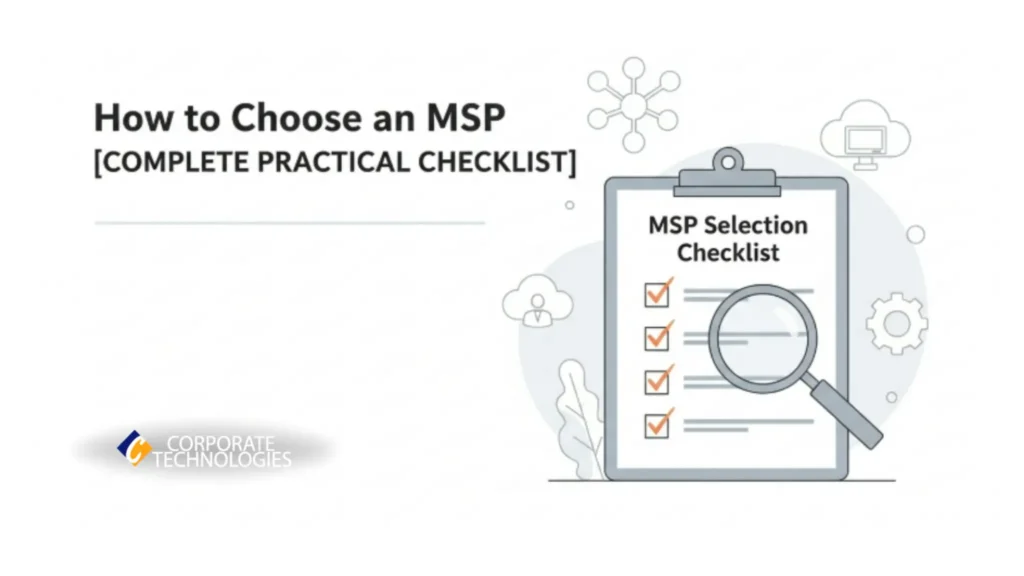
In short
Complete checklist for choosing an MSP. Learn evaluation criteria, questions to ask, red flags to avoid, and how to verify service quality before signing.
In this article
- Why Choosing the Right MSP is Harder Than It Looks
- First Check: How Well an MSP Understands Your Business Needs
- Second Check: How they Handle Support, Responsiveness, and Accountability
- Third Check: How they Manage your Cloud, Costs, and Security
- Fourth Check: What their Onboarding and Reporting Look Like
- Fifth Check: Red Flags that Show an MSP Might Not Be A Fit
- Sixth Check: On-site Reliability (the part you usually skip)
- When it Makes Sense to Hire a Mature MSP for Your Business
- Conclusion
- Common Questions that Come to your Mind
TL;DR
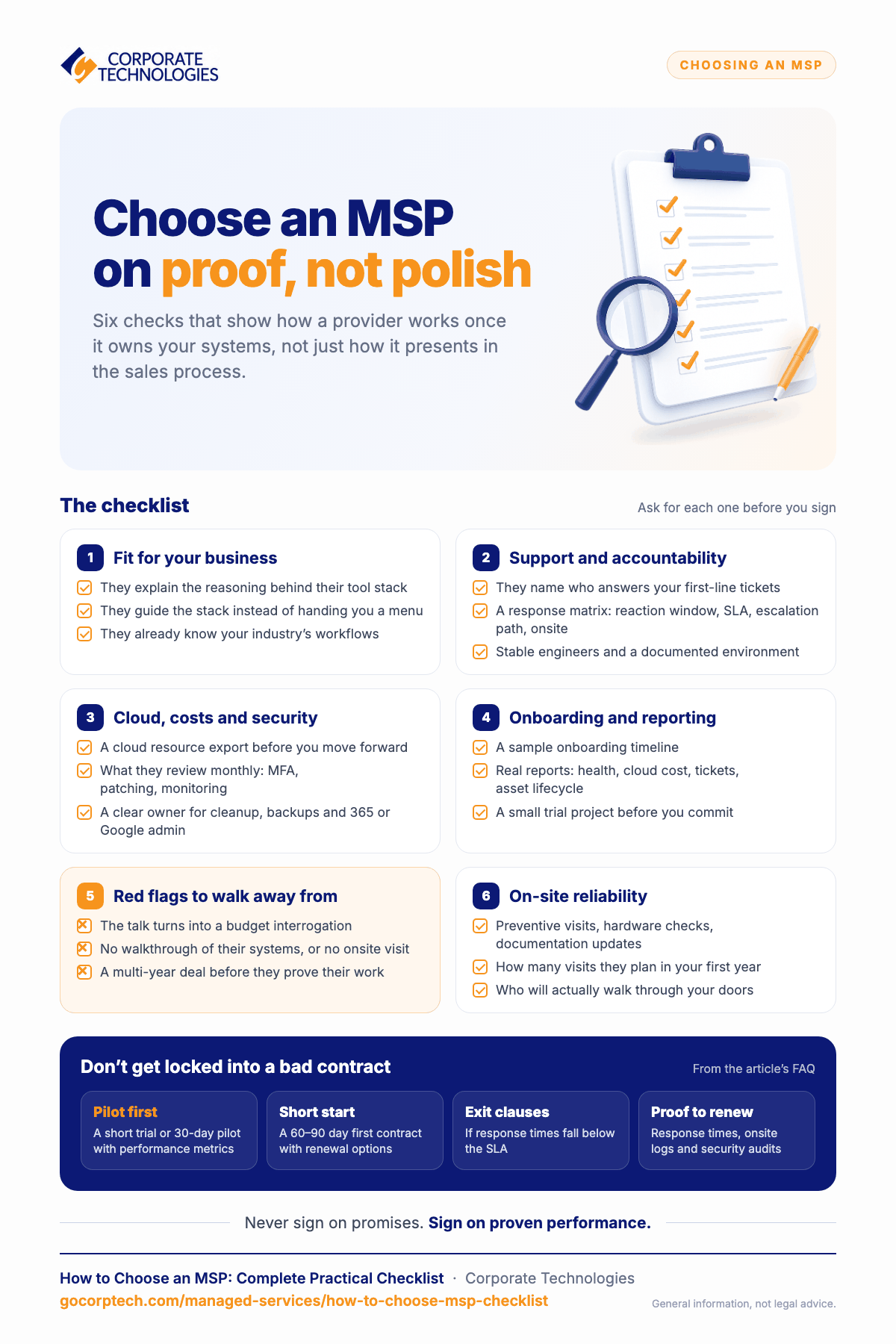
Don’t just compare features, test how MSPs actually perform. Ask who handles your first-line support, request a clear response matrix and staffing model, review real onboarding timelines, request sample reports, and always run a small trial project before committing.
Red flags include budget-focused conversations, vague tool stacks, and extended contracts without proof of quality. The best MSPs keep stable teams, document everything, show up on-site, and respond with ownership, not excuses.
When you find an MSP that checks all these boxes (like Corporate Technologies does), you’ve found a partner worth keeping.
Why Choosing the Right MSP is Harder Than It Looks
When you try to pick a managed IT provider, every option feels identical. Every MSP claims fast response, firm support, and smooth service, so it becomes difficult to tell who actually delivers. Many business owners end up unsure because they do not know which questions reveal how an MSP truly works behind the scenes.
You might fill out lengthy questionnaires, compare service packages, or sit through detailed calls, yet still feel uncertain. That happens when a provider looks polished on paper but behaves very differently once they are responsible for your systems. Slow responses, unclear ownership, and surprise gaps appear only after they start managing your environment.
To keep that from happening, you can use a simple, proven checklist that shows how an MSP performs in real situations. Here is the checklist you can follow when you want to see whether a provider is the right fit, rather than an MSP that just presents well during the sales process.
First Check: How Well an MSP Understands Your Business Needs
Your first signal comes from the way a provider handles your tools and setup. Strong MSPs do not ask you to choose the stack yourself. They guide you. When an MSP turns everything into a menu and wants you to pick the security tools, backup tools, or monitoring tools, that usually means they are avoiding responsibility. It also leaves you carrying the risk if something breaks later.
A solid partner can explain why their stack exists the way it does. They talk through the choices in simple language so you can see how each piece supports your systems. This is where Corporate Technologies does well. They walk through the logic behind their setup so you understand how each tool connects to the next instead of guessing.
You also want a provider that understands your field. When an MSP has no experience with your industry, you end up with delays, missing requirements, and mistakes that cost you later. An MSP familiar with your environment already knows what your workflows look like and what protections you need, so you do not spend months fixing avoidable issues.
Second Check: How they Handle Support, Responsiveness, and Accountability
You should start by asking who actually answers your tickets. Many providers that call themselves local push the first line of support to another team somewhere else. When that happens, you get slow replies, basic fixes repeated over and over, and escalations that never resolve anything. You need to know exactly who touches your systems the moment a ticket arrives.
You should also ask for a clear response matrix. This includes the reaction window, the SLA, the escalation path, and when an engineer will come onsite. If a provider cannot show this in a simple format, you end up carrying the risk during downtime. A structured MSP can walk you through this without hesitation.
Staffing matters just as much. Some MSPs replace engineers so often that you keep re-explaining your setup and losing time you never get back. When you see a company like Corporate Technologies keeping stable teams, you know your onboarding will not repeat every few months.
You should also check how your environment is documented. Weak documentation leads to repeated outages, lost settings, delays, and hours wasted on work that should have been done once. A reliable provider keeps everything written in a way that any engineer can take over without rebuilding your entire environment.
Third Check: How they Manage your Cloud, Costs, and Security
You should start by asking how they handle your cloud setup. This is where most hidden waste appears. Many owners only discover orphaned Azure resources, licenses billed for people who left months ago, and virtual machines doing nothing after the contract is signed. You can avoid all of this by requesting a cloud resource export before moving forward.
Security is an important part where you need clarity. A lot of providers say they are serious about protection, but they barely manage MFA, patching, or monitoring. You should ask what they review every month and how they confirm that those controls are actually in place. A strong MSP can show this without digging through scattered notes.
Forrester’s research on managed services providers focuses on the fact that superior onboarding is a key differentiator between Leaders and average providers. A thorough onboarding process, one that helps the provider gain a detailed understanding of your environment before execution begins, directly correlates with better service delivery, fewer surprises, and more efficient use of service time.
You should also know who is responsible for account cleanup, patching, backups, and your 365 or Google admin work. When this is unclear, basic tasks stretch out for months. A company like Corporate Technologies straightforwardly handles these responsibilities, so you always know who manages what.
Fourth Check: What their Onboarding and Reporting Look Like
You can understand a lot about an MSP by asking for a sample onboarding timeline. Many owners end up waiting months for basic cleanup because the provider is handling too many clients at the same time. A clear timeline helps you see whether they have the capacity to take on your environment or if you will be joining a long queue.
According to ISG’s research on service provider excellence, top-performing managed services providers are consistently rated on six key criteria: collaboration, execution quality, governance, thought leadership, cultural fit, and business continuity. This means when evaluating an MSP, you should assess not just response times, but whether they score well on transparency, accountability, and stability.
You should also ask for real reporting samples. Monthly health summaries, cloud cost breakdowns, ticket activity, and asset lifecycle updates show how organized the provider is behind the scenes. When these reports look rushed or incomplete, the day-to-day work usually looks the same.
Before you choose anyone, you can test them with a small project. This will show how they communicate, how quickly they respond, and whether they manage work with care.
Fifth Check: Red Flags that Show an MSP Might Not Be A Fit
When you start talking to providers, a few early signs can save you from long-term frustration. One of the biggest warning signs is when the conversation turns into a budget interrogation. A solid provider helps you understand what you actually need instead of shaping everything around the lowest possible number.
Gartner’s evaluation of managed services providers uses two key criteria: Completeness of Vision (how well a provider understands market direction and customer needs) and Ability to Execute (current capabilities and market presence). When you evaluate an MSP, look for these same qualities: a provider with a clear strategic direction and a proven execution track record, not just a reactive cost-cutter.
Another clear red flag is when they hand you a menu of tools and ask you to choose your own stack. That usually means they do not want responsibility for your outcomes.
Recommended Read: 10 Questions to Ask an MSP Before You Sign a Contract!!
You should also pay attention when a provider avoids walking you through how their systems work or skips onsite visits during evaluation. Both make it more complicated for you to understand how they plan to support your setup.
Be cautious when someone pushes a multi-year agreement before proving how they operate. If they want a long commitment without showing the quality of their work, that is a strong sign to slow down and look deeper.
Sixth Check: On-site Reliability (the part you usually skip)
When you review MSPs, it is easy to focus on ticket replies and ignore onsite work, but this is where you learn how dependable a provider actually is. A reliable MSP still shows up when it matters. They make preventive visits, check hardware, update documentation, and handle compliance tasks in person instead of relying on guesswork through remote tools.
You should also ask how often they plan to visit during your first year. This small detail tells you more about their real level of commitment than any sales deck. If an MSP claims to be local but avoids on-site work, you end up dealing with delays, miscommunication, and issues that keep coming back.
One more thing that helps you understand their approach is asking who will walk through your doors. Some companies send someone who barely knows your setup. Others send seasoned engineers who already understand your environment.
When I reviewed how Corporate Technologies handles this, I saw that their on-site work is done by people who know what they are doing, not temporary replacements. That level of consistency removes stress and saves you from repeating the same explanations again and again.
When it Makes Sense to Hire a Mature MSP for Your Business
There comes a point where you stop looking for an MSP that just fixes tickets for your business. You want a provider that gives you guidance instead of guessing, a team that stays instead of rotating every few months, and a setup that puts security at the front instead of treating it like an add-on. You also want clear reports, regular onsite visits, and people who explain what they are doing rather than leaving you to figure it out on your own.
When you compare MSPs, the ones that meet these expectations usually share the same habits. They document everything, respond with absolute ownership, keep engineering teams stable, and stay involved with your environment instead of pushing everything to remote help desks. They behave like a partner who wants your systems to run smoothly, not a provider rushing to close tickets.
Corporate Technologies is the best example of a company that fits this pattern. They work with a level of maturity that shows through their documentation, on-site presence, and reporting. They feel more like a steady partner than a company with a long menu of services. That kind of approach is what helps you avoid surprises and gives you confidence that your IT environment will stay under control.
Conclusion
When you try to choose an MSP, it’s easy to get distracted by fast replies, low prices, and big promises. But the real test is whether the provider understands your environment well enough to keep it stable and protected. When a team knows your systems and your daily challenges, you avoid surprises, downtime, and constant back-and-forth.
This checklist gives you a simple way to cut through marketing and see how a provider actually works. Once you walk through each step, you’ll know who is built to support you long-term and who might leave you handling problems alone. Providers with steady engineering teams and transparent processes, like Corporate Technologies, tend to give you the kind of consistency and reliability you want from a long-term partner.
Use this checklist as your filter. It helps you choose an MSP that keeps your IT predictable, secure, and easy to manage.
Common Questions that Come to your Mind
Ask directly who handles level-one tickets and request their staffing breakdown (offshore vs. US-based vs. onsite engineers).
Then ask for their average response time for urgent issues and compare it against their SLA claims. If response times lag significantly or they hesitate to name who’s handling tickets, they’re likely outsourcing without transparency.
A solid preventive maintenance plan includes monthly patching schedules, quarterly security audits, regular backup testing, annual hardware refresh reviews, documentation updates, MFA and access control reviews, and compliance checks.
Ask your MSP to show you their exact monthly checklist. If it’s vague or missing these items, they’re not being proactive.
Request their boots-on-the-ground response matrix showing who handles onsite work. Ask how many on-site visits they schedule in year one. Then ask for recent project examples with the names of engineers who did onsite work.
Call their office phone number and see who answers. If they avoid these questions or can’t name specific engineers, they’re a call center pretending to be local.
A professional timeline includes clear start and end dates, defined milestones with completion dates, acceptance criteria for each phase, who is responsible for each task, risk factors and contingency plans, and sign-off points where you approve work before it moves to the next phase. If an MSP can’t produce this, they’re not experienced enough to handle major projects reliably.
Start with a short trial project or 30-day pilot with performance metrics before signing anything long-term. Insist on a 60-90 day initial contract with renewal options instead of multi-year commitments.
Include clear exit clauses if response times fall below SLA, and require documented proof of their performance (ticket response times, onsite visit logs, security audits) before you renew. Never sign based on promises, always on proven performance.
Keep reading
More in Managed Services →
How We Measure Managed IT
Real operational metrics from Corporate Technologies' managed client base: about 2.6 hours of downtime a year, critical issues resolved in 8.5 hours,…
New Mexico Data Breach Law Explained for Small Businesses
The New Mexico Data Breach Notification Act: 45-day notice, the 1,000-resident AG threshold, the encryption exception, penalties, and the IT work behind…

CMMC Readiness for New Mexico Defense Contractors
What CMMC means for New Mexico subcontractors to Kirtland, Holloman, White Sands and the labs: levels, phase-in dates, the usual gaps, and…
Free, same business day
What would managed IT cost for your team?
Tell us how many computers and users you have. An engineer sends a per-user range, usually the same business day. No credit card, no bot.
- Live service specialist in about a minute, 24/7
- 21 offices across 18 states
- 60-day money-back guarantee
Get your instant IT support estimate
Tell us how many computers and users you have and we send a per-user range, usually the same business day.

