

In short
Too many browser tabs slow systems, drain focus, and signal deeper IT issues. A quick coffee-break read on productivity and tech health.
In this article
- Step 1: Why Do Tabs Multiply So Fast?
- Step 2: The Hidden Cost of “Just One More Tab”
- Step 3: Tabs Are a Symptom, Not the Real Problem
- Step 4: Small Habits That Make a Big Difference
- Step 5: When It’s Not the User’s Fault
- Step 6: Why IT Health Shows Up in Small Ways
- Step 7: The Coffee Break Takeaway
- Time to Fix the Tech Mess
Quick check. How many tabs do you have open right now? You probably have some tabs open on your device. Some are “important,” some you forgot, and some, honestly, why are they even there?
Like, there’s the email tab you meant to reply to yesterday. The “important” article you opened last week. A random troubleshooting forum from last month. And somehow five tabs of the same Google search.
This is Coffee Break Reads, short, practical thoughts for busy workdays. So let’s use this break to talk about something small that quietly affects productivity, system performance, and mental clarity more than we admit, i.e. too many browser tabs.
Step 1: Why Do Tabs Multiply So Fast?
Most people don’t open tabs because they love chaos. Tabs pile up for practical reasons:
- “I’ll come back to this in a minute.”
- “I need this for later.”
- “I don’t want to forget.”
Tabs become digital sticky notes. The problem? Sticky notes don’t slow down your computer. Tabs do.
Modern browsers are powerful, sure. But every open tab still uses memory and CPU in the background. Cloud apps, dashboards, and video-heavy pages make it worse, even when you are not actively using them.
Step 2: The Hidden Cost of “Just One More Tab”
Individually, one tab is harmless. Collectively, they cause issues that sneak up on teams:
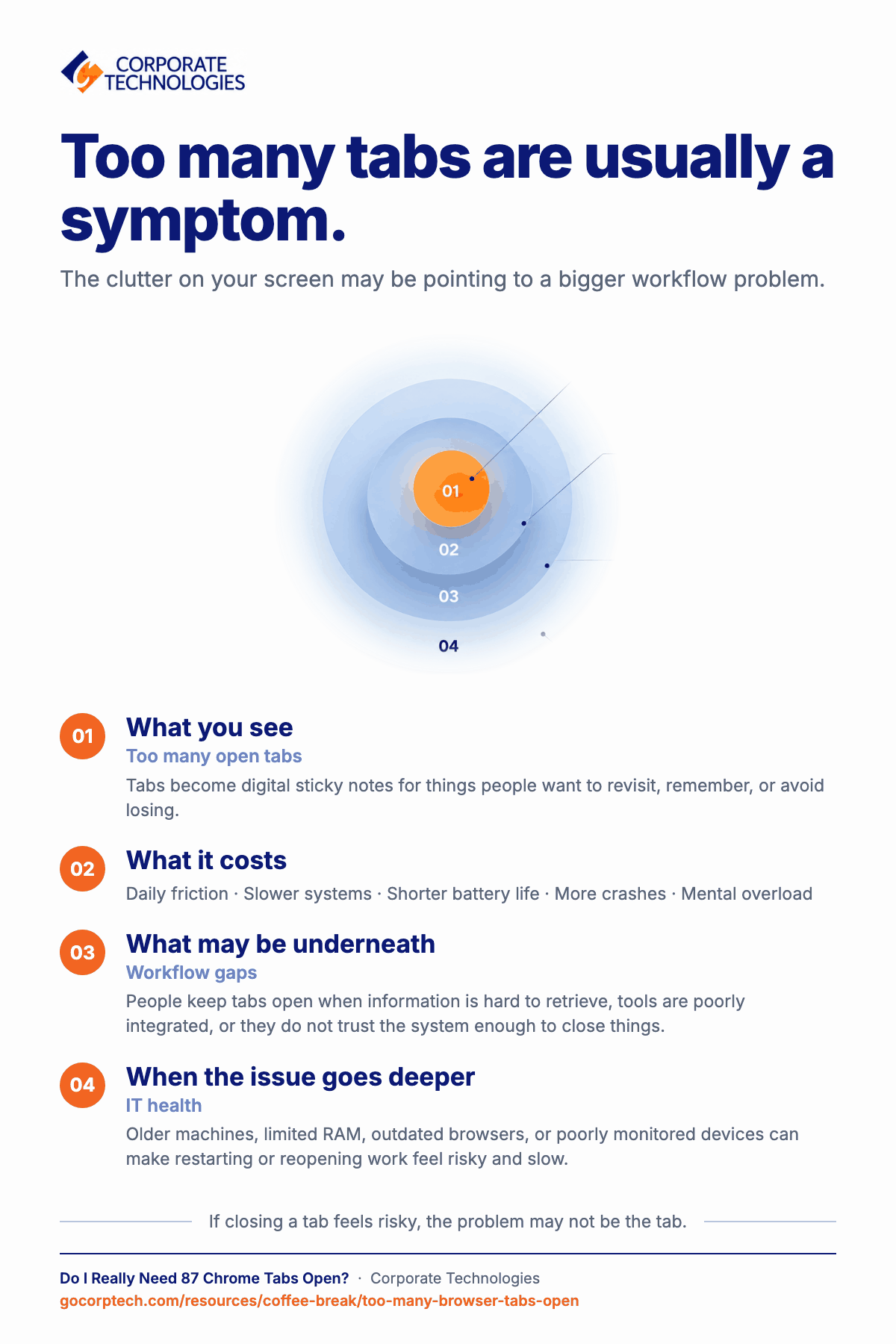
- Slower systems: Memory gets eaten quietly until everything feels laggy.
- Shorter battery life: Laptops work harder than they should.
- More crashes: Browsers freeze, sessions get lost, and frustration rises.
- Mental overload: Too many visible tabs reduce focus, even subconsciously.
It’s not about perfection. It’s about recognizing when “multitasking” becomes “system drag.”
Step 3: Tabs Are a Symptom, Not the Real Problem
Here’s the part most people miss. Excessive tabs aren’t really about browsing habits. They’re about workflow gaps.
When people keep dozens of tabs open, it usually means:
- Information isn’t easy to retrieve later
- Tools aren’t well integrated
- Systems don’t feel reliable enough to close things
In other words, tabs multiply when users don’t trust their setup.
Step 4: Small Habits That Make a Big Difference
You don’t need some big productivity system. No overhaul. No new app. None of that. Just a few small habits help right away:
- Use bookmarks, but do it properly. Folders help more than chaos (folders > chaos).
- Pin only the tabs you actually open every day. Not the “maybe later” ones.
- Close tabs after you finish something. Not before. After feels easier.
- Restart your browser once a day. It really helps, even if it feels annoying.
These habits alone reduce system strain more than most people realize. If you haven’t touched a tab today, you probably don’t need it open.
Step 5: When It’s Not the User’s Fault
Sometimes, it’s not about habits at all. It’s the system.
Older machines struggle. Limited RAM doesn’t help. Browsers aren’t updated. Devices aren’t monitored. Everything feels heavier than it should. So people adapt. They keep tabs open. They avoid restarts. They don’t want to log in again or wait for things to load.
That’s when productivity problems stop being personal. They turn into infrastructure problems. And no amount of “better habits” can fully fix that.
Step 6: Why IT Health Shows Up in Small Ways
No one notices IT problems when things work smoothly.
But when systems slow down, people:
- Avoid closing applications
- Hesitate to restart devices
- Work around problems instead of fixing them
This leads to clutter on screens and in processes. Healthy IT environments quietly encourage better habits because systems respond quickly, updates run on time, and users trust that closing something won’t cost them time later.
Step 7: The Coffee Break Takeaway
You probably don’t need 87 Chrome tabs open. Deep down, you know that.
If closing tabs feels risky or stressful, that’s a sign. Something underneath isn’t working right. Good technology shouldn’t make people hesitate to close a tab or restart a browser. It should feel easy, not risky.
Tech should support focus, not create workarounds. Small frustrations like slow browsers or cluttered screens are rarely “just small things.” They usually point to bigger problems happening quietly in the background.
Time to Fix the Tech Mess
If browser overload, slow systems, or daily tech friction feel normal, it may be time to look deeper. Proactive IT support helps keep systems clean, monitored, and reliable, so people can close tabs without worry.
Corporate Technologies helps organizations move from constant workarounds to stable, well-managed environments where productivity feels easier, not forced.
Sometimes the best productivity upgrade isn’t another tab, it’s better technology supporting the work.
Keep reading
More in Coffee Break Reads →
Multitasking Is Slowing You Down (And Increasing Risk)
Multitasking feels productive, but your brain is switching gears and paying for it in lost time, more mistakes and more stress. Here…

What Happens When You Click “Remind Me Later” Too Many Times
That little "Remind me later" button feels harmless. But a hundred clicks later, your devices are out of sync and the security…
Stop Searching for Files: 5 Tips That Actually Work
Save time and find files faster with 5 practical file organization tips, smarter naming habits, better search, and simple maintenance routines.
Free, same business day
What would managed IT cost for your team?
Tell us how many computers and users you have. An engineer sends a per-user range, usually the same business day. No credit card, no bot.
- Live service specialist in about a minute, 24/7
- 21 offices across 18 states
- 60-day money-back guarantee
Get your instant IT support estimate
Tell us how many computers and users you have and we send a per-user range, usually the same business day.

