

In short
Learn how to spot fake apps before you download. Discover key warning signs, security risks, and simple tips to protect your data and devices.
In this article
You’re halfway through your morning latte, and your teen suddenly asks, Can I download this new app? You glance at their screen, which looks familiar, but something feels off. Fake apps today are so cleverly disguised that even adults get tricked. The problem? These apps don’t just waste storage; they can steal data, track activity, or sneak in malware.
Now, don’t panic. You don’t need to become a cybersecurity wizard to keep your kids safe. In the time it takes to finish your cappuccino, you can learn how to spot these impostors and save yourself from a lot of digital drama.
Why This Coffee Break Read Matters?
This isn’t about turning you into a cybersecurity expert. It’s about giving you a quick, practical checklist you can use right after you finish your cup of coffee. Three to five minutes of reading today could save you and your teen from hours of headache tomorrow.
How to Spot Fake Apps Before Your Teen Hits Download
1. Check the Developer’s Name
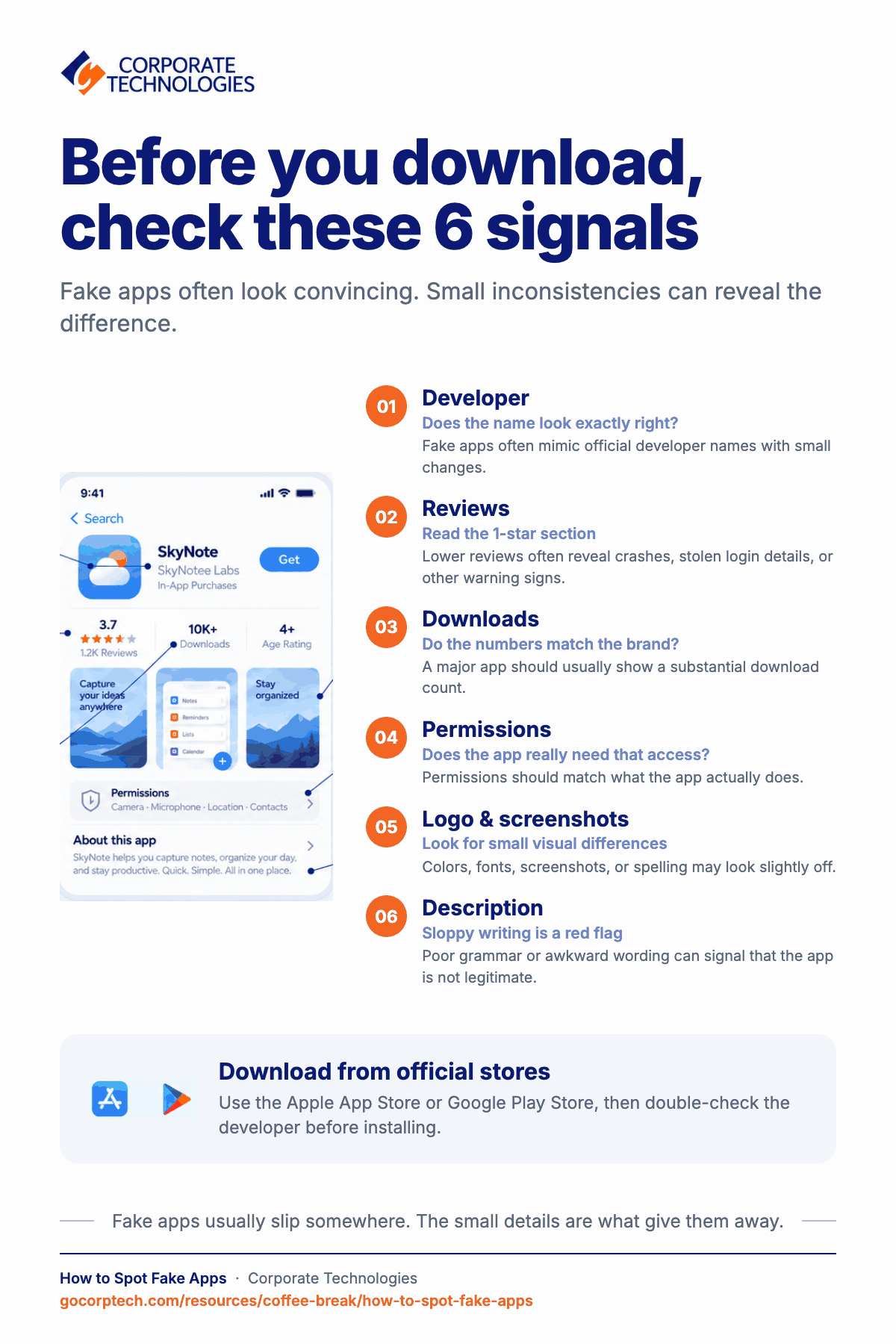
Think of the developer as the app’s signature. A real app will always be published by the official company. Fake ones often try to mimic the name but slip in tiny differences, like extra characters, unusual spellings, or numbers replacing letters.
- Example: Netflix Inc. is real. Netfllx Inc. (with a “l” instead of an “i”) is not.
- If the name looks even slightly off, pause before hitting download.
2. Don’t Trust All Reviews, Read the Right Ones
Scammers know reviews matter, so they buy fake 5-star ratings. But the trick is in the 1-star section. That’s where frustrated users spill the truth.
- You might read: App crashed my phone or stole my login details.
- Skip the glowing praise, scroll straight to the lowest reviews. That’s where the red flags hide.
3. Look at Download Numbers
Big apps attract big numbers. If your teen is installing something that claims to be WhatsApp but only shows 5,000 downloads, something’s fishy. The bigger the brand, the higher the download count should be, usually in the millions.
4. Check App Permissions
Here’s a simple trick. Ask yourself: Does this app really need what it’s asking for?
- A photo-editing app? Sure, it needs camera access.
- A flashlight app? Nope, it doesn’t need your microphone.
- If permissions feel over-the-top, the app’s probably hiding something.
5. Scrutinize Logos and Screenshots
Scammers copy logos, but they rarely get it perfect. Colors may look a bit off, or the font may feel stretched. Screenshots can be blurry too, sometimes with odd spelling that gives it away. Best move? Check the company’s real website and compare side by side. If you see even small differences, better avoid the app.
6. Watch Out for Bad Grammar
It sounds simple, but this is one of the easiest giveaways. Legitimate companies hire professionals to write their app descriptions. Scammers? Not so much.
- If the description reads like: This app is very good for all users to enjoy fast function, it is a red flag. Trust your inner English teacher; if the description looks sloppy, the app probably is too.
7. Stick With Official Stores Only
Sometimes, teens get links from friends or social media to special versions of apps. That’s usually trouble. Always download apps directly from the Apple App Store or Google Play Store. Even in official stores, fakes sneak in. Always double-check the developer before clicking install.
Extra Coffee Tips
- Pause before downloading. Make it a rule to wait a minute or two. Just enough time to check the name, logo, or reviews.
- Use family settings. Apple and Google both have tools that block or flag risky apps. It’s not perfect, but it adds a layer of safety.
- Talk with your teen. Instead of strict rules, explain why fake apps are risky. When it feels like teamwork, they usually listen more.
Wrapping It Up
So here’s the simple truth. Fake apps try to copy the real ones. But they always slip somewhere. Wrong spelling, odd logos, weird permissions, low downloads. Sometimes it’s small, but once you see it, it’s clear.
It’s not about being paranoid. It’s just about being smart. A short check today saves hours of fixing tomorrow. And after a while, the check feels normal, like habits we don’t even think about. Locking the door before bed. Or sipping coffee in the morning without pause.
Your Turn
Now we’re curious, which trick do you think is the most effective? Do you already use one of these, or did something new catch your eye today? Hit reply and let us know. We might feature your answer in our next Coffee Break Reads edition.
Until then, enjoy your coffee, keep those apps clean, and stay one step ahead of the scammers.
Keep reading
More in Coffee Break Reads →
Multitasking Is Slowing You Down (And Increasing Risk)
Multitasking feels productive, but your brain is switching gears and paying for it in lost time, more mistakes and more stress. Here…
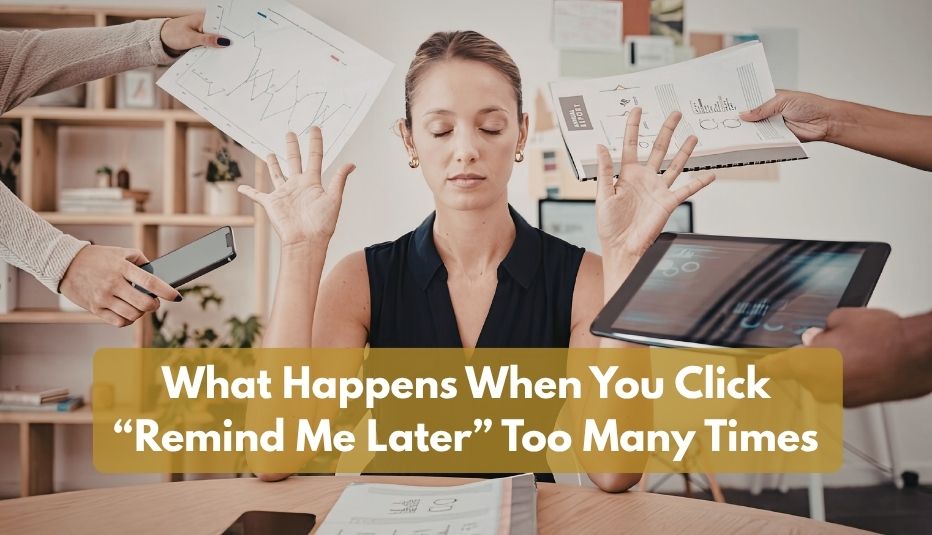
What Happens When You Click “Remind Me Later” Too Many Times
That little "Remind me later" button feels harmless. But a hundred clicks later, your devices are out of sync and the security…
Stop Searching for Files: 5 Tips That Actually Work
Save time and find files faster with 5 practical file organization tips, smarter naming habits, better search, and simple maintenance routines.
Free, same business day
What would managed IT cost for your team?
Tell us how many computers and users you have. An engineer sends a per-user range, usually the same business day. No credit card, no bot.
- Live service specialist in about a minute, 24/7
- 21 offices across 18 states
- 60-day money-back guarantee
Get your instant IT support estimate
Tell us how many computers and users you have and we send a per-user range, usually the same business day.

