For over 40 years, we have helped thousands of businesses with their IT solutions for lasting success. We provide personalized IT solutions tailored to your diverse business needs.

Contacts

Minneapolis

952-715-3600

San Diego, CA

858-537-6045

Hollywood, CA

323-435-1318

Sacramento, CA

916-352-8792

Boise

1-800-381-9383

Rio Rancho

505-219-1694

Tulsa

918-508-2228

Conway

501-329-1238

Harvey

504-539-4160

Chicago

312-380-5339

Grand Rapids

616-575-8500

Vernon

740-652-3780

Frederick

301-682-5100

Reston

757-916-9723

Fairfield

973-830-2442

Fargo

701-893-4000

Iowa

+1 800-830-0112

Kansas

913-210-1950

Data Storage IT Solutions
Benefits of IT Services for CPAs background.

Why CPAs Need Industry-Specific IT Support

What Is Industry-Specific IT Support for CPAs? Industry-specific IT support is a tech help that gets your world. For CPAs, that means the kind of support that already knows how your accounting software runs, how tax systems behave, why client data needs to be locked down tighter than a vault, and financial compliance requirements, too. Now, general IT providers are kind of all over the place, helping every kind of business under the sun. But CPA-focused IT support is built differently. It understands the pressure of tax season, catches QuickBooks issues before they spiral, and knows how critical every step in an audit trail is. One slip, and the whole thing can fall apart. This kind of support doesn’t just help, it gets it. What Are the Benefits of Specialized IT Services for CPAs? 1. Better Support for Accounting Software CPAs don’t just open up any software and get to work, they rely on some heavy-duty stuff like QuickBooks, Xero, Sage, UltraTax, and CCH Axcess. Now, sure, a regular IT provider might step in and fix a glitch or two, maybe restart the system and call it a day. But when it comes to actually setting these tools up right? Making sure they play nice together? That takes someone who knows the accounting world. A specialized IT provider at Corporate Technologies goes beyond the surface. We don’t just support the tools, you get someone making sure those tools are set up to follow accounting best practices, not just whatever works in the moment. 2. Enhanced Data Security and Compliance There is also the security aspect, which is critical for CPAs. You’re dealing with sensitive financial data every single day. So encryption, secure file-sharing, MFA, all that stuff isn’t optional, it’s a must. A niche IT team will have it covered. The team even knows the regulatory landscape, such as FINRA, IRS Pub 4557, GLBA, all those compliance pieces that general IT might miss or barely skim through. 3. Minimized Downtime During Critical Periods Tax season and year-end are the busiest times for CPAs. Deadlines are tight, things move quickly, and there’s no room for mistakes. A regular IT provider might not understand how stressful that can be, but specialized IT support does. The specialized IT providers have been through it before and know exactly what’s needed to keep things running smoothly. A Real-World Example: How One CPA Firm Transformed Tax Season with Industry-Specific IT Support There was a mid-sized CPA firm in Dallas that had been doing well for years. For about five years, they worked with a general IT company. The IT team wasn’t bad, they just didn’t fully understand how accounting firms work. Every tax season, especially as April 15 got closer, the firm would face slow systems or even crashes. It always happened when they were busiest. The IT company didn’t seem to realize how serious that was. When there were errors in Lacerte, the IT team didn’t know how to help. When they had issues getting their document portal to work with ShareFile, their team had no idea what to do. Eventually, the firm switched to Corporate Technologies, and things improved quickly. We prepared their systems ahead of tax season, adjusted their accounting software, and strengthened their security. Everything ran more smoothly and faster. That year, the firm completed 18% more tax returns. There were fewer problems, less stress, and no more last-minute tech issues. Now, tax season feels more controlled and much less chaotic. Why Don’t Generic IT Providers Work Well for CPAs? 1. They Don’t Understand How Accounting Firms Work Most general IT companies treat CPA firms like any other business, like a retail store or a marketing agency. They use the same tools, follow the same checklist, and apply the same fixes. But accounting has its own needs. CPAs handle sensitive client data, need secure portals, and have to follow strict IRS rules like proper audit logs. 2. They Don’t Keep Up with Compliance Rules Financial regulations change often, and CPAs need to stay updated to avoid problems. But general IT providers usually don’t track those updates. If they’re not aware of new rules, your firm could end up facing audits, fines, or even security risks, just because your IT team didn’t know what changed. 3. They Wait for Problems Instead of Preventing Them Most general IT teams wait until something breaks, then fix it. That might work in some industries, but not in accounting. CPAs can’t afford delays, especially during tax season. Industry-specific IT providers at Corporate Technologies work differently. We plan, check for risks, and prepare your systems before busy periods. How Can Industry-Specific IT Support Solve These Problems? What Happens If CPAs Continue with Generic IT Support? Without specialized IT support, CPA firms run the risk of: At Corporate Technologies, we help CPA firms work more efficiently, build stronger client trust, and create long-term stability by providing IT support tailored specifically for the accounting industry. What Should CPAs Look for in a Specialized IT Provider? How Is the Cost Different from General IT Providers? Though industry-specific support may have a higher upfront IT cost, it pays off through fewer outages, reduced compliance risks, and increased staff productivity. In many cases, these services reduce overall IT spending by preventing issues before they arise. When Should a CPA Firm Make the Switch? The best time is before a critical failure occurs. If your firm is expanding, experiencing recurring technical issues, or undergoing a software upgrade, it’s a clear signal to move toward a specialized IT partner. Why Do Specialized IT Services Offer Better Long-Term Value? Because we design solutions that scale with your growth and evolve with your industry’s compliance demands. You’re not just buying tech support, you’re gaining a technology partner who understands your profession inside and out. Final Thoughts Generic IT support may seem adequate at first, but for CPAs, it usually creates more headaches than it solves. Specialized IT support gets how your world works, aligning with regulations,

Cloud Computing Data Storage
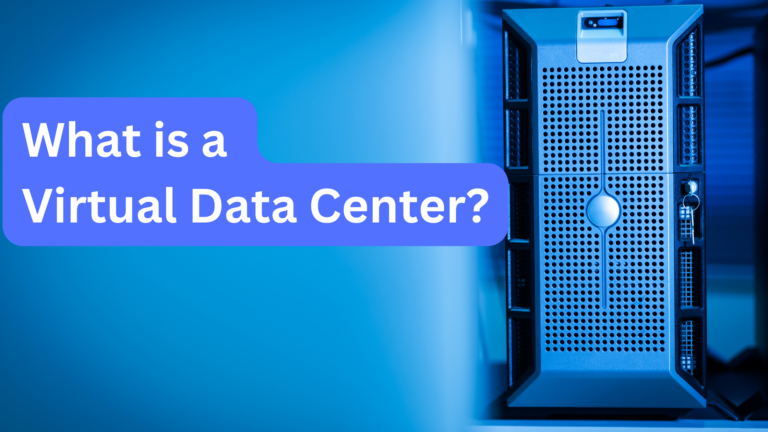
Server rack: What is a virtual data center?

What is a Virtual Data Center?

Those of us immersed in IT daily often forget that, for most people, many technical phrases we use can sound like a foreign language. The term “virtual data center” is a good example. So, what exactly is a virtual data center? If you’re unsure, don’t worry – we’re here to help. We’ll start by looking at the technical definition of a virtual data center (VDC), but we won’t leave you there. We’ll also make sure to translate the concepts into the language of the living room. So, let’s get started. The Technical Definition of a Virtual Data Center Suppose somebody asks you what a virtual data center is. In that case, you can tell them this: a virtual data center (VDC) is a software-defined infrastructure that emulates a physical data center by providing virtualized computing, storage, memory, and networking resources to support enterprise workloads. You’ll sound like you’ve memorized a Wikipedia page, which will be impressive. The Layman’s Definition of a Virtual Data Center Well, now that we’ve gotten the technical definition out of the way, let’s try to figure out exactly what it actually means. To start with, let’s take a look at the phrase, “virtualized pool of cloud infrastructure resources”. It sounds complicated, but essentially, all it really means is an abstraction of physical servers into a dynamic pool of virtualized resources using software-defined techniques. Have you ever seen a server? Well, a pool of cloud infrastructure resources is basically just multiple servers, set up to work together. What about the phrase “enterprise business needs”? That just means that the network of servers has been set up to help businesses perform the activities that they need to do– whether that be managing customer data or running web applications. So, when it comes to a virtual data center (VDC), think of it this way: a virtual data center is a unified system where virtual machines or containers dynamically share computing, storage, and networking resources beyond the capabilities of individual personal devices. The storage, RAM, and CPU power would all be combined into one system that could be accessed at any time. Why Virtual Data Centers are Useful Now that you know what virtual data centers (VDC) are, it’s worthwhile to have an understanding of what makes them valuable. The great thing about virtual data centers is that resources in a virtual data center are dynamically allocated using software-defined methods to optimize performance and cost efficiency according to demand fluctuations. When you use an app or program that requires a lot of computing power, you’re able to access it. When you don’t need power, you don’t use it. VDCs operate on a pay-as-you-go model that dynamically scales resource usage, reducing upfront capital expenditures and operational costs. Have any more questions about what a virtual data center is, or why they’re helpful? Let us know. At Corporate Technologies, we’re honored to provide technology services to businesses. Get in touch with us. See Also Free Cloud Computing Services What is Cloud Computing