For over 40 years, we have helped thousands of businesses with their IT solutions for lasting success. We provide personalized IT solutions tailored to your diverse business needs.

Contacts

Minneapolis, MN

(952) 715-3600

San Diego, CA

619-853-3744

Hollywood, CA

323-435-1318

Sacramento, CA

916-352-8792

Boise, ID

1-800-381-9383

Rio Rancho, NM

505-219-1694

Tulsa, OK

(918) 508-2228

Conway, AR

501-329-1238

Harvey, LA

504-502-1550

Chicago, LA

312-284-3219

Grand Rapids, MI

616-727-8260

Vernon, OH

740-638-0883

Frederick, MD

301-867-7128

Reston, VA

757-982-8986

Fairfield, NJ

973-604-0655

Fargo, ND

701-354-2979

Iowa

1-800-830-0112

Kansas

913-382-2823

Florida

561-693-1382

Security

Safeguard your business with comprehensive IT security solutions. This category covers everything from cybersecurity essentials and data protection to strategies for preventing security breaches and managing compliance. Learn how to implement the latest security measures to protect sensitive information and ensure business continuity.

Compliance Managed Services Onsite support Security
Minnesota's new cybersecurity regulations.

Navigating Minnesota’s New Cybersecurity Regulations: Is Your Business Ready?

In a significant move to strengthen cybersecurity, Minnesota has introduced a groundbreaking law that requires public agencies to report cybersecurity incidents to the state’s central IT organization, Minnesota IT Services (MNIT). Signed into law in May 2024 and officially enacted on December 1, 2024. This legislation is a response to the increasing cyber threats faced by the region. The law aims to improve the state’s ability to detect, respond to, and mitigate cyberattacks effectively. For Minnesota businesses, this is more than just a regulation—it’s a call to action. The new law not only underscores the importance of cybersecurity but also highlights the need for local organizations to stay vigilant and prepared. This article explores what these regulations mean for your business and provides practical steps to ensure you’re ready to comply. Why Cybersecurity Matters More Than Ever in Minnesota Minnesota has witnessed an alarming rise in cyberattacks during the last decade, with businesses—specifically small and medium enterprises (SMEs), becoming frequent targets because of their restricted sources for strong cybersecurity measures. In response, the state has introduced new policies to guard sensitive customer information, mitigate financial and reputational harm from breaches, and beautify resilience against evolving cyber threats. Understanding Minnesota’s New Cybersecurity Regulations The new cybersecurity regulations in Minnesota were designed to address the increasing frequency and sophistication of cyberattacks. They stem from a growing recognition that businesses, especially those handling sensitive data, must implement robust cybersecurity measures. These regulations include requirements for: One driving factor behind these regulations is Minnesota’s unique economic landscape. Industries like healthcare, agriculture, and technology play a vital role in the state’s economy, and these sectors are frequent targets for cybercriminals. The regulations aim to provide a tailored approach to protecting these industries. Key deadlines and compliance requirements include: These new measures emphasize not just prevention but also accountability, ensuring Minnesota businesses are better equipped to handle potential cyber threats. Who Is Affected by the Regulations? The regulations apply to a wide range of businesses across Minnesota. Companies handling sensitive customer data, such as financial records or health information, are at the forefront of these requirements. This includes: For Minnesota’s agricultural sector, which relies on modern technologies like precision farming, these regulations are particularly significant. Cyberattacks on agricultural operations can disrupt supply chains and lead to significant financial losses. Similarly, healthcare providers must adhere to stricter data protection rules due to the sensitive nature of patient records. Local businesses, regardless of size, are also vulnerable, as cybercriminals often target smaller companies with fewer resources for cybersecurity. Understanding these vulnerabilities and taking proactive measures is critical for businesses to safeguard their operations and maintain customer trust. What Risks Do Minnesota Businesses Face Without Compliance? Failing to comply with Minnesota’s new cybersecurity regulations exposes businesses to various risks, both immediate and long-term. Data breaches, for instance, can result in significant financial losses, legal penalties, and reputational harm. One notable incident occurred when a small Minnesota-based retailer suffered a ransomware attack, leading to a temporary shutdown and loss of customer trust. The financial implications included not only the ransom payment but also costs for recovery and lost revenue. Non-compliance can lead to: Local businesses must also consider the ripple effects of a cyberattack. A breach in one organization can compromise the security of its partners and clients, creating a domino effect. Staying compliant is not just about avoiding penalties; it’s about protecting your business and the broader Minnesota economy. Steps to Ensure Compliance with the New Regulations Preparing your business for Minnesota’s new cybersecurity regulations doesn’t have to be overwhelming. Here are some practical steps to ensure compliance: 1. Conduct a Cybersecurity Audit Start by assessing your current cybersecurity measures. Identify vulnerabilities in your systems and processes. 2. Partner with Local Cybersecurity Experts Minnesota has a growing network of cybersecurity firms that specialize in helping local businesses. Collaborate with experts who understand the state’s specific regulatory requirements. 3. Train Employees Many cyber incidents begin with human error. Regular training sessions can help employees recognize phishing emails and other common threats. 4. Implement Industry-Specific Solutions Depending on your industry, invest in specialized tools. For example, healthcare providers can adopt software tailored for HIPAA compliance, while agricultural businesses might focus on securing IoT devices. 5. Develop an Incident Response Plan Create a clear plan for responding to cyber incidents. This should include steps for containing the breach, notifying affected parties, and recovering data. 6. Monitor Compliance Regularly Cybersecurity is not a one-time effort. Schedule regular reviews to ensure your business stays compliant as regulations evolve. By taking these steps, businesses can not only meet compliance requirements but also strengthen their overall cybersecurity posture. If you’re unsure where to start, Corporate Technologies offers tailored solutions to guide you through the process. How Corporate Technologies Can Help Minnesota Businesses Corporate Technologies has been a trusted partner for Minnesota businesses navigating cybersecurity challenges. With expertise in local regulations and a commitment to personalized service, we provide: One Minnesota-based manufacturing client, for example, partnered with us to overhaul their cybersecurity framework. The result? Improved data security, streamlined compliance processes, and renewed customer confidence. At Corporate Technologies, we understand the unique challenges facing Minnesota businesses. Our team is dedicated to helping you navigate these new regulations easily, so you can focus on growing your business. Conclusion Minnesota’s new cybersecurity regulations mark a significant step towards protecting businesses and their customers. While the requirements may seem daunting, they are an essential safeguard against the rising threat of cyberattacks. Non-compliance isn’t worth the risk. By taking proactive steps and working with trusted partners like Corporate Technologies, your business can stay secure and thrive in today’s digital landscape. Don’t wait until it’s too late—start preparing today and ensure your business is ready for the future. See Also Free Cloud Computing Services

Security
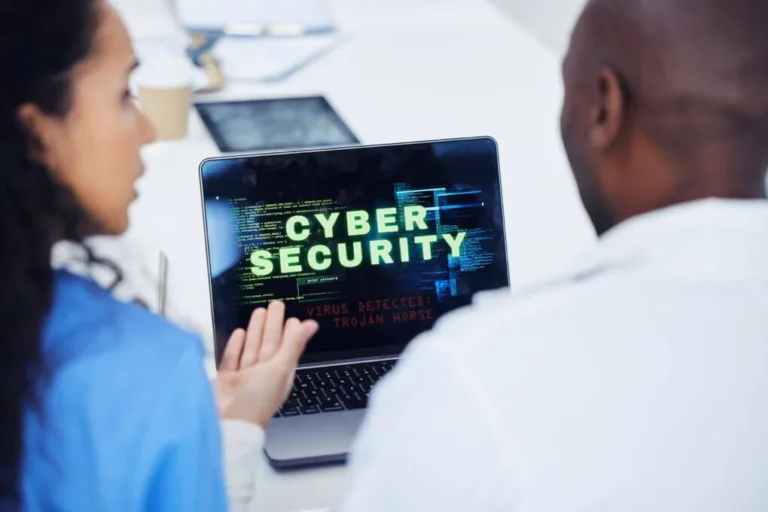
Networked laptops, scareware malware threat.

Unmasking Scareware: A Theatrical Twist on Malware

When you hear “malware,” you might picture sneaky programs that quietly steal your data or cause havoc. Scareware, however, adds a dramatic flair to the mix. What Is Malware? Malware is any software designed to harm your system, whether it’s a virus, worm, ransomware, or spyware. It often operates silently, infiltrating your computer and causing damage without your knowledge. Meet Scareware Scareware is a subtype of malware that makes a lot of noise. Instead of working in the background, it floods your screen with alarming pop-ups and fake alerts. These warnings mimic those from trusted security programs, convincing you that your computer is under attack. The goal? To scare you into buying fake antivirus software or handing over sensitive details. Key Differences Tactics: Regular malware stays hidden, while scareware goes on full display with urgent, hard-to-ignore messages. Psychological Play: Scareware exploits your natural reaction to fear, pushing you to act quickly—often without verifying the threat. User Disruption: The constant barrage of alerts from scareware can disrupt your work and browsing, making it more than just a security risk—it becomes a nuisance. A Real-Life Snapshot Imagine enjoying a quiet evening online when a pop-up suddenly claims your system is crawling with viruses. The message looks professional, urging immediate action. In a moment of panic, you might click a link to buy supposed security software, only to later find out it was all a scare tactic. How to Stay Protected Be Skeptical: Genuine security software rarely uses aggressive pop-ups. If something seems off, verify it through trusted channels. Keep Updated: Regular software updates improve your defense against both traditional malware and scareware. Educate Yourself: Knowing how scareware works makes it easier to spot and avoid its tricks. Use Trusted Sources: Only download software from reputable vendors and always check official websites when in doubt. In Summary Scareware is malware with a flair for dramatics. It relies on flashy, fear-inducing alerts to trick you into making hasty, often costly decisions. By staying informed and maintaining good digital habits, you can protect yourself from these deceptive tactics and enjoy a safer online experience. Happy and safe browsing! See Also Largest MSP Providers Preventing Ransomware Attacks in Schools

Security
Preventing Ransomware Attacks in K-12 & Higher Education

Preventing Ransomware Attacks in K-12 & Higher Education

Ransomware attacks are a growing threat to schools and colleges. These attacks can lock up important files, disrupt classes, and steal sensitive information. With more schools using educational technology for teaching and learning, the risk of ransomware is on the rise. This article will explain how K-12 schools and higher education institutions can protect themselves from these cyber threats, with insights from Corporate Technologies, a leading US-based IT solutions provider. Understanding Ransomware and Its Impact on Education What Is Ransomware? Ransomware is a type of malware attack that locks files or systems until a ransom is paid. Hackers use it to demand money, often in cryptocurrencies like Bitcoin. Schools are often targeted because they store valuable data and may lack strong cybersecurity. According to a 2023 report, the US education sector experienced a 44% increase in ransomware attacks compared to the previous year, highlighting the urgent need for robust defenses. Why Are Schools Targeted? Schools store sensitive data like student records, financial information, and research data. They also often have limited budgets for cybersecurity. It makes them attractive targets for hackers. A single attack can disrupt an entire school district or university. Corporate Technologies emphasizes that investing in proactive cybersecurity measures can significantly reduce these risks. Recent Examples of Ransomware in Education In recent years, many schools have been hit by ransomware. For example, a large school district in Florida had to pay hackers $40 million to recover its data. These attacks cause chaos and cost millions of dollars to fix. Corporate Technologies highlights that such incidents underscore the importance of preventive measures like regular data backups and advanced threat detection systems. The Consequences of Ransomware Attacks Ransomware attacks can lead to canceled classes, lost data, and damaged reputations. Schools may also face legal issues if student’s private information is leaked. The financial cost can be devastating, especially for smaller districts. Corporate Technologies reports that the average cost of a ransomware attack in the US education sector is approximately $2.73 million, including downtime, recovery, and reputational damage. How Ransomware Spreads Ransomware often spreads through phishing emails or malicious content downloads. Once inside a system, it can quickly infect other devices on the same network. This makes it hard to stop once it starts. Corporate Technologies recommends implementing email filtering tools and endpoint detection systems to mitigate these risks. Steps to Prevent Ransomware Attacks Train Staff and Students on Cybersecurity One of the best ways to prevent ransomware is through education. Teach staff and students how to spot phishing emails and suspicious links. Regular training can reduce the risk of accidental clicks that lead to attacks. Keep Software and Systems Updated Outdated software can serve as an entry point for ransomware, making systems vulnerable. Schools should regularly update operating systems, antivirus programs, and other software. Automatic updates can help ensure nothing is missed. Use Strong Passwords and Multi-Factor Authentication Weak passwords are easy for hackers to guess and can be cracked with a brute force attack. Encourage users to use strong, unique passwords for all their accounts. Adding multi-factor authentication (MFA) to accounts provides an extra layer of security. Backup Data Regularly Backing up data is one of the most effective ways to recover from a ransomware attack. Schools should store backups offline or in secure cloud storage. Regular and routine backups ensure that data can be restored without paying a ransom. Limit Access to Sensitive Information Not everyone needs access to all data. Schools should restrict access to sensitive information based on roles. This reduces the risk of ransomware spreading across the network. Install and Maintain Firewalls Firewalls work as a barrier between your network and potential threats. They can block unauthorized access and stop ransomware from entering your system. Make sure firewalls are properly configured and updated. Use Email Filtering Tools Many ransomware attacks start with phishing emails. Email filtering tools can block suspicious messages before they reach inboxes. This reduces the chance of someone accidentally opening a dangerous attachment. Building a Strong Cybersecurity Culture Create a Cybersecurity Policy A clear cybersecurity policy is essential for preventing ransomware. This policy should outline rules for using school devices, handling data, and reporting suspicious activity. Everyone should know and follow these rules. Work with Cybersecurity Experts Schools don’t have to face ransomware alone. Partnering with cybersecurity experts like Corporate Technologies can help identify vulnerabilities and implement strong defenses. Regular audits can ensure systems stay secure. Monitor Networks for Suspicious Activity Early detection can stop ransomware before it causes damage. Schools should use monitoring tools to watch for unusual activity on their networks. Quick action can prevent a small problem from becoming a big crisis. Plan for the Worst-Case Scenario Even with the best precautions, attacks can still happen. Schools need a response plan for ransomware incidents. This plan should include steps for isolating infected systems, notifying authorities, and recovering data. Involve the Entire Community Cybersecurity is everyone’s responsibility. Schools should involve parents, students, and staff in their efforts to prevent ransomware. Sharing tips and updates can help create a safer environment for everyone. Conduct Regular Drills Just like fire drills, schools should conduct cybersecurity drills. These drills can help staff and students practice responding to a ransomware attack. Knowing what to do in an emergency can minimize damage. Encourage Reporting of Suspicious Activity Students and staff should feel comfortable reporting anything unusual. Whether it’s a strange email or a slow computer, early reporting can prevent a larger issue. Create a simple process for reporting concerns. The Role of Technology in Preventing Ransomware Use Advanced Antivirus Software Basic antivirus programs may not be enough to stop ransomware. Schools should invest in advanced antivirus software that can detect and block new threats. Regularly update the software to stay protected. Implement Endpoint Detection and Response (EDR) EDR tools monitor devices connected to the network for signs of ransomware. They can detect unusual behavior and take action to stop an attack. This technology is especially useful for large school districts. Secure Remote Learning Environments

Security
7 Tips to Defend Against Cyber Attacks

7 Tips to Defend Against Cyber Attacks

In today’s world, any business without a strong internet presence is taken somewhat less seriously. The internet has revolutionized how people do business, and virtually all companies want to leverage its power to grow. While no one can doubt how impactful the internet is to companies, it is also not without downsides—cyber-attacks. Cyberattacks pose a severe threat to businesses. Sadly, several companies have been victims of cyberattacks that have gravely affected their operations. According to recent cybersecurity reports, a ransomware attack occurs every 11 seconds, and the global average data breach cost reached $4.45 million in 2023. Attackers are not sleeping as they keep devising sophisticated methods of carrying out their attacks. So, what do you do? Cybersecurity is the answer! If you’re a business owner, you should prioritize cyber security and continue updating your security measures to remain safe. This article will present some vital security tips, in addition to what you already know, to help you defend against cyber-attacks. 7 Ways to Protect against Cyber Attacks 1. Train Your Employees Regularly on Cyber Security Techniques Have you ever organized cybersecurity training for your employees? It is imperative to train your employees on the ethics of cyber security. Attackers can penetrate your data through your employees’ computers. Train employees on modern threats, including social engineering, phishing, smishing, ransomware, and proper security hygiene across all devices and work environments, whether remote, hybrid, or in-office. 2. Install Updates Most people could care less about updating an application as long as it’s still functioning correctly—giving them what they want. You may not know that sometimes attackers spend time monitoring a particular software, testing all their methods of sending malware to the software. One thing that can permanently disrupt their plans is when the developers add additional features to the software. They start again, trying to break in, which may never work. Implement automated patch management systems for all software, firmware, and hardware components. Enable automatic updates where appropriate and maintain a comprehensive vulnerability management program. 3. Backup Important Files Backing up your files ensures you can always retrieve them in case of an attack or errors that may lead to data loss. Switching to cloud-based storage is a good way of backing up your files. Implement the 3-2-1 backup strategy: maintain three copies of data on two different media types, with one copy stored off-site. Use encrypted enterprise-grade backup solutions with ransomware protection. More so, cloud service providers even offer you advanced security to keep your data protected from attackers. 4. Secure your Wi-Fi If your company has a Wi-Fi network, implement WPA3 encryption, segmentation, guest network isolation, and regular security assessments. Use certificate-based authentication for corporate devices. Leaving your Wi-Fi open can pave the way for attackers to connect and spy on your information, which may eventually hijack your entire system. Even though all your employees have to connect to the Wi-Fi during working hours, you should assign each staff member unique login details. This way, you can monitor your network and see who is trying to gain unpermitted access. 5. Use a VPN A VPN—Virtual Private Network can help protect you from Wi-Fi attacks. If you have employees working from home and may connect to public Wi-Fi to access your company’s systems, you need a VPN to conceal your information. As you probably know, if you have enabled remote access for all your company’s computers, any of your staff can access them remotely. This can be risky based on the network your employee uses to access the internet. Deploy enterprise-grade VPN solutions with split tunneling or implement modern Secure Access Service Edge (SASE) solutions that combine network security functions with WAN capabilities. 6. Limit Your Staff Access to Important Data Security is critical, so you want to ensure you do not over-allow your employees’ access to all essential data. Even though you train them on cyber security principles, they may compromise—possibly out of errors. This happens mostly for non-tech-savvy staff. Limit your staff’s access to installing unnecessary software, as most attacks come from installing Trojans. Implement Role-Based Access Control (RBAC) and Privileged Access Management (PAM) systems. Use the principle of least privilege and regularly audit access permissions. 7. Change Password Regularly It is a common practice among computer users to save their passwords to their computers so that they don’t always have to enter the passwords before logging in. While doing this can be helpful, it is not advised if you want to adhere to strict cyber security measures. You shouldn’t save your passwords; try to change them at intervals. Someone might have stolen your password, but unknown to you, and they can use it to wreak havoc on your data. Implement password managers, enforce strong password policies, and use passwordless authentication. Security events rather than arbitrary timeframes should trigger regular password changes Also, if any of your employees are quitting for whatsoever reason, change the passwords they know immediately to avoid leaving loopholes for unforeseen or unexpected events. As you can see, cyber-attacks are a significant threat to businesses. But this shouldn’t stop you from taking your business online. You get plenty of benefits from utilizing the internet’s full power to run your business. From reaching your target audience, hiring the best talents, etc.—these are all possible via the internet. However, you must hold on to cyber security to protect your data. The security tips highlighted in this article can help you. When selecting a Managed Security Service Provider (MSSP), ensure they offer 24/7 monitoring, incident response, compliance management, and relevant industry certifications. Also, consider providers with expertise in your specific industry regulations and requirements.

Backup Security
How To Protect Your Backup Server

How To Protect Your Backup Server

Modern businesses process a lot of data on a daily basis. From customer information to transactional records to confidential business information, it is vital that every bit of this data is secured and out of the hands of cybercriminals and/or safeguarded against natural disasters and eventual mishaps. A clever and efficient way of securing your vital data is using cutting-edge backup servers. This is why it is so important for companies no matter how big or small to carefully formulate and implement a meticulous backup strategy that can help them steer clear of the dangers of critical data loss due to any number of reasons including human discrepancies, hardware malfunction, cyberattacks, and more, ensuring operational resilience. In light of this, we’re going to take a comprehensive look at the reasons why you should protect your backup servers and the steps you can take to make sure your data always remains secure. A Glimpse at the Advantages of Securing Your Backup Servers Think of a gun safe. While the safe itself is essential to store the weapon and keep it out of unwanted hands, if the locking mechanism of the safe is weak or if you’re using a weak password, the safe will no longer serve its purpose. This analogy perfectly explains the need for securing your backup servers. You have to make sure you’re regularly backing up your data and running concurrent antimalware software, preventing any unauthorized users from accessing your servers. However, another reason why you should be backing up data regularly and in more than one location is unforeseen consequences. You never know when a hurricane or earthquake might hit, potentially destroying your hardware and servers. Moreover, in the event that you’re contending with potential data loss due to human error or hardware malfunction, frequently updating your data in multiple locations will considerably minimize your downtime and data recovery efforts. It’s also important to know that a lot of industries today require companies to comply with various regulations pertaining to cybersecurity and data protection and retention. Businesses need to be vigilant about frequently backing up sensitive data and adhere to compliance requirements. Events to Worry About and How Protecting Your Backup Servers Will Offer Peace of Mind Data Protection in the Event of Natural Disasters One of the major drawbacks of having on-site backup servers is that they are prone to damage and destruction in the case of natural disasters. The recent California fires can be a very important example of how an office building can become inhabitable and the pursuant destruction caused by the fires. However, there are other natural disasters that can cause problems such as earthquakes and floods. If you’re not proactive in backing up your data on a daily basis, particularly on off-site or third-party servers, you will stand to face considerable downtime and subsequent losses. Cybersecurity Issues Another vital reason why you should secure your backup servers is the onslaught of cybercrime and hacking. Today, hackers have access to evolving strategies and tools that allow them to be more sneaky in breaching servers. The scary part is that, in a lot of cases, businesses tend not to notice the breach until it’s too late. This is why it is imperative that you have multiple backup servers that are regularly backed up and run avant-garde cybersecurity software to quickly detect vulnerabilities. This is also where reputed third-party cloud service providers like Corporate Technologies come into play. We offer independent and secure servers that are vigilantly protected against unauthorized activity.  Industry Standard Practices You Should Implement to Make Your Backup Servers Bulletproof Backup Your Data Regularly The secret to ensuring you never have to worry about losing data due to any reason is to be consistent. This means backing up all your vital data daily via automated and/or scheduled backups. You have to make sure everything is up to date. Now, depending on the scale of your operations and the type of industry you’re in, this could mean updating your servers weekly, bi-weekly, daily, or multiple times throughout the week. One of the best benefits of doing so is that it’s going to significantly help mitigate the risk of data theft and/or loss, increasing your ability to access and fetch the desired data or information whenever you want, wherever you are. Backup Your Data When Making Considerable Updates Part and parcel of using digital tools and software to do business in the age of globalization is that you’ll need to contend with significant software upgrades and installations. The same goes for configuring new technologies or transitioning to better IT platforms. While doing so is an excellent idea for growing your business and keeping up with the times, these activities could potentially cause problems and errors. This is where it becomes imperative that you commit to backing up your entire data so that it is recoverable in the face of a major issue. Being proactive and cautious while upgrading your hardware and software systems and backing up your data will allow you to minimize downtime and guarantee operational stability. Invest in Off-Site and In-House Backup Servers We can’t overemphasize just how important it is to invest in a mix of backup servers to protect your data. You may have heard of the saying “don’t put all your eggs in one basket”, well, turns out this doesn’t just apply to your finances. You should definitely diversify your data security, investing in powerful in-house servers as well as partnering with managed IT service providers, such as Corporate Technologies. We offer resilient and robust off-site hybrid cloud services enriched with avant-garde cybersecurity protocols.  Not only will this help you steer clear of losing data in the event of natural disasters but you’ll be able to access your data in case your on-site servers are hacked or infected by malware. Make Sure Your Inspect Your Backups An effective data backup plan means you’ll have seamless and streamlined access to the data in case the situation warrants restoration. To ensure

Security Technology
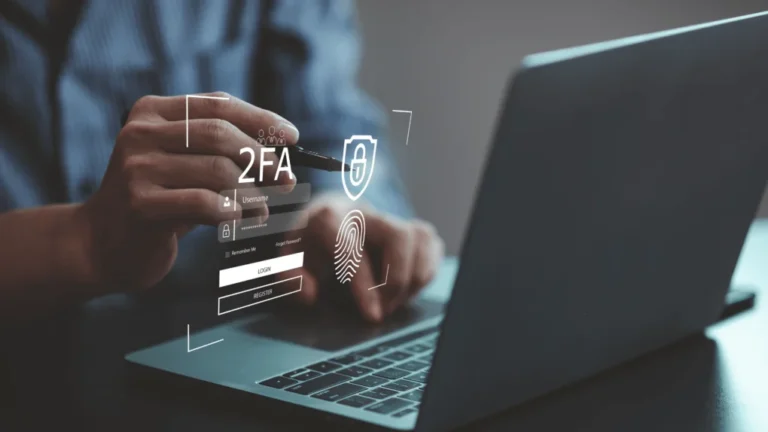
Here's an alt tag for the image: Two-factor authentication security blocks.

Is Two-Factor Authentication Enough?

Two-Factor Authentication (2FA) has long been heralded as a significant step forward in protecting online accounts from unauthorized access. By requiring a second form of verification, such as a text message code or authentication app, it adds an additional layer of defense against password-based attacks. However, while 2FA is better than relying solely on passwords, it’s not without its gaps. Understanding these vulnerabilities can help individuals and organizations make informed decisions about their security practices. 1. SIM Swapping Attacks One of the most well-known vulnerabilities in 2FA systems is SIM swapping. This occurs when an attacker convinces a mobile carrier to transfer a victim’s phone number to a SIM card in their possession. Once they control the number, they can intercept SMS-based 2FA codes and gain access to accounts. Why it’s a problem: SMS-based 2FA relies on the assumption that the phone number is secure. However, social engineering or lax carrier security can make this assumption dangerous. 2. Phishing Attacks Attackers are getting increasingly sophisticated, and many phishing schemes now aim to bypass 2FA. Instead of just stealing passwords, attackers may direct victims to fake login pages where they also collect 2FA codes in real time. By immediately entering the stolen credentials and 2FA codes into the legitimate website, attackers can gain access before the code expires. Why it’s a problem: 2FA doesn’t protect against real-time phishing attacks. If you willingly share your 2FA code on a fraudulent site, the protection is nullified. 3. Man-in-the-Middle (MITM) Attacks In some cases, attackers can deploy man-in-the-middle attacks using malicious software or compromised networks. These attacks intercept the communication between a user and the authentication system, allowing attackers to capture 2FA codes and use them to log in. Why it’s a problem: 2FA codes are only as secure as the communication channels used to transmit them. MITM attacks exploit weak points in these channels. 4. Device Loss or Theft For those using hardware tokens or authentication apps, the physical security of the device is critical. If someone steals your phone or authentication device, they may gain access to your 2FA codes, especially if the device itself is not secured with a strong PIN or biometric lock. Why it’s a problem: Physical security is a key aspect of digital security, and losing control of a device undermines 2FA’s benefits. 5. Dependence on a Single Device or Ecosystem Many 2FA systems rely heavily on a single device, such as your smartphone. If that device is lost, damaged, or inaccessible, you might find yourself locked out of your own accounts. Similarly, malware or other compromises on your primary device can render even app-based 2FA ineffective. Why it’s a problem: Over-reliance on one device introduces a single point of failure, which can be exploited or result in inconvenience. 6. Limited Protection Against Sophisticated Attacks 2FA improves account security, but it doesn’t make accounts invulnerable. Highly targeted attacks, such as those involving state-sponsored actors or insider threats, may bypass or neutralize 2FA through advanced techniques, such as zero-day exploits or brute-force attacks on less robust systems. Why it’s a problem: Advanced attackers can find ways to exploit gaps that 2FA does not address, especially if the second factor is inherently weak. Enhancing Security Beyond 2FA While 2FA is an important layer of defense, it’s not the ultimate solution. To better secure your accounts, consider adopting these practices: The Bottom Line 2FA remains an essential part of a robust security strategy, but it’s not foolproof. Being aware of its limitations and implementing additional security measures can significantly reduce your risk of being compromised. Remember, in the world of cybersecurity, no single solution is perfect—it’s the combination of layers that keeps you safe.

Downloading...

Please wait while the PDF downloads