
How Small Accounting Firms Can Secure Client Data and Prevent Downtime During Tax Season


In short
Protect your accounting firm from ransomware and downtime this tax season. Learn how managed IT and cybersecurity keep client data secure.
In this article
Nobody knows the importance of a stable system like an accountant during tax season. Imagine the fallout if an accounting firm loses access to the internet, Quickbooks, or their own infrastructure in April. Outside of tax season, accountants still need to be operational for their clients. To keep a stable environment, you need a cybersecurity strategy to stop data breaches, detect threats, and eradicate potential malware from delivering its payload. Here are a few ways accountants can protect their client data and have a smoother tax season safe from cyber attacks.
Threat Protection from Ransomware
Ransomware is the single most devastating attack to accountants and their client data. Accounting firms suffering from ransomware will experience much more downtime and potential blackmail that could last for months. Litigation from ransomware can last for years.
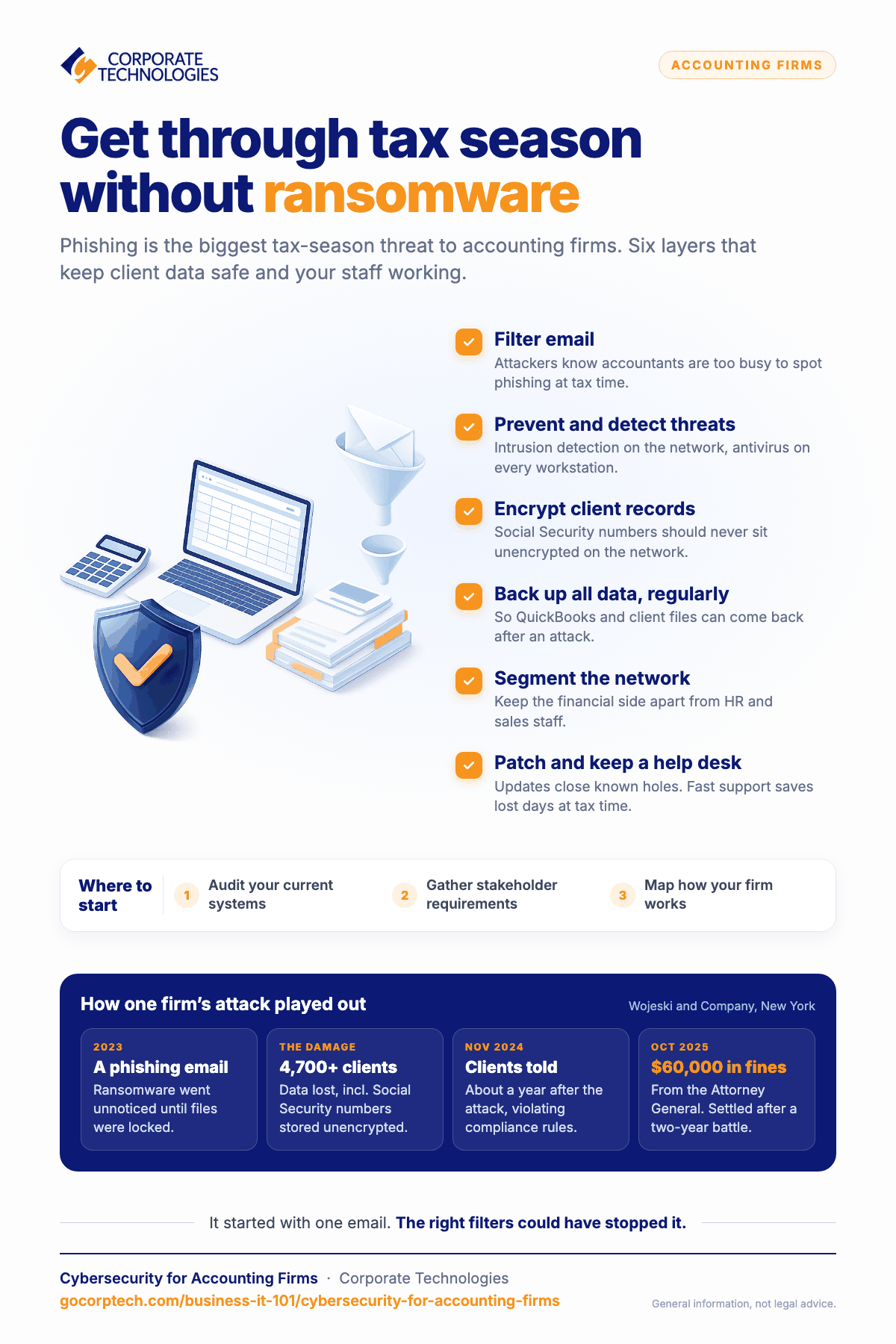
As an example, the New York accounting firm Wojeski and Company suffered from a ransomware attack in 2023. Employees were unaware that the environment had ransomware on it until they were unable to access client files. Wojeski lost data for over 4700 clients including their social security numbers, which were stored unencrypted on the network.
To make matters worse, Wojeski did not alert customers until a year later in November 2024, violating compliance requirements. Because of their lack of communication and compliance violations, the Attorney General fined Wojeski and additional $60,000 in fines. Their case settled in October 2025, making the process of dealing with ransomware a two-year battle.
The attack started with a phishing email, which could have been blocked had the accounting firm had the right email filters in place. Cybersecurity for accounting firms should be a critical component of their environment, but it requires experts to know what systems to put into place. Your cybersecurity infrastructure should have multiple layers to stop threats. Threat prevention, detection, and email filtering are three solutions that could have helped Wojeski avoid a costly mistake.
IT Support for Accountants
Cybersecurity is one step in protecting your client information, but general IT support and maintenance are also necessary. It’s expensive for accountants to employ full-time IT support, especially when you need cybersecurity professionals as well. Managed service providers are a cost-effective alternative to keep your accounting firm within compliance regulations and help support accountants as they work with clients.
Take, for example, tax time when accountants are at their busiest. Suppose that one accountant has an issue connecting to the network. Without the right staff onsite, it could be several hours –even days– before the accountant has a workable environment again. Lost days during tax season is unacceptible for both accountants and their clients.
Using the same example, your accountants save themselves a lot of stress and downtime when they have dedicated help desk support. When an accountant runs into an issue with their laptop, the accountant can call the help desk to walk them through the problem. The problem could be as simple as a configuration change on their workstation, or it could be a network issue. When your accounting firm contracts with a managed service provider (MSP), a remote IT support specialist maintains the network environment to remediate the issue.
Not only does an MSP cut down on accountant frustrations with IT infrastructure, but it also cuts the time necessary to get accountants back on track for productivity. Whether it’s a workstation issue, network hardware, infrastructure software, or a simple user education problem, a managed service provider can help. Downtime for accountants translates to money lost, so the investment into MSP support is a cost-savings solution.
IT Hardware Maintenance
At some point, you need scalable IT infrastructure to support increasing numbers of accountants and staff members. This process requires IT maintenance and hardware added to your current infrastructure. You might need additional software including cloud-based support for applications like Quickbooks. The wrong hardware can limit scalability and growth, so you need professionals to design, suggest and implement new IT solutions.
In addition to scalable infrastructure, the network must be designed in a way that follows compliance requirements and protects data. For example, the financial side of an accounting firm should be secured from general HR or sales staff. This protection is done using segmentation, and other hardware might be necessary for data security. Network segmentation is not a general knowledge requirement, which shows the importance of having professionals scale your infrastructure.
Small accounting firms going through a growth spurt in staff and clients will also need professionals to add to network hardware. Smaller network designs don’t support larger businesses, so the process often requires scaling with local hardware and cloud infrastructure. Poorly designed cloud infrastructure can be open to cyber-attacks, so it must be configured by someone who is familiar with cloud configurations, integration, cybersecurity, compliance, logging and monitoring, and automatic scaling.
Where Can an Accounting Firm Get Started?
The first step to securing your accounting firm is to take an audit of your system, gather stakeholder requirements, and understand the ways your business works. Professionals at Corporate Technologies can help you with these first steps. You need professionals who know the right questions, have the expertise to guide you through the process, and give you suggestions on what works for you and your budget.
To avoid costly cybersecurity mistakes and to protect your accountants and clients, contact Corporate Technologies to find out how we can help you secure and scale your business.
FAQs
Cyber-criminals know that accountants are too busy to notice phishing attacks, so they target accounting firms with phishing emails to steal customer data or install ransomware.
Ransomware can stop accountant productivity, affect Quickbooks data, and steal sensitive client information.
Accountants need accounting software like Quickbooks, access to the internet, and a secure network for sharing files with other staff.
Install intrusion detection, antivirus on workstations, and take regular backups of all data.
Regular updates must be installed to protect from known security threats, intrusion detection protects the network from threats, and changes to configurations when new infrastructure is added.
Keep reading
More in Business IT 101 →
Most SMB Security Stats Are Confident Claims. We Published the Operational Data Instead.
We published our real Q2 2026 operational data across ~1,700 SMBs, including a patch number that dropped 29 points the moment we…

Patch Management Explained: Why Unpatched Systems Get Breached
Learn why patch management is critical for business security. Discover how unpatched systems get breached, real-world examples like WannaCry, and how Corporate…

AI in Cybersecurity: What It Really Means for Small and Mid‑Sized Businesses
Explore AI in cybersecurity and discover its impact on small and mid-sized businesses in today's digital landscape.
Free, same business day
What would managed IT cost for your team?
Tell us how many computers and users you have. An engineer sends a per-user range, usually the same business day. No credit card, no bot.
- Live service specialist in about a minute, 24/7
- 21 offices across 18 states
- 60-day money-back guarantee
Get your instant IT support estimate
Tell us how many computers and users you have and we send a per-user range, usually the same business day.

