


In short
Discover essential small business cybersecurity steps to take after a hack. Learn how to respond, recover data, and protect your company from future threats.
In this article
There comes a time for every small business when you become the target of hackers. Most hacking campaigns are a collaboration of cyber-criminals across continents, so they know about vulnerabilities, human nature, and the statistically higher chance that your small business doesn’t have the resources to stop advanced threats. At some point in your business operations, a cyber-criminal will exploit a vulnerability. This vulnerability could be human error, improperly configured cybersecurity infrastructure, bugs in your system, outdated software, or a simple email with a malicious attachment.
Whatever the cause, the time it takes you to discover and contain a threat is critical to your business. IBM’s 2025 Cost of a Data Breach report says that the average global cost of a data breach is $4.4 million. These costs include litigation, incident response, changes to cybersecurity infrastructure, loss of reputation, and reparations. It should be noted that litigation could last for years, making it a stressful time for small business owners. Target’s infamous data breach happened in 2013, and a settlement wasn’t reached until 2017.
Ideally, you have a disaster recovery plan in place when you experience an incident. An “incident” is anything from malware to an employee disclosing their network credentials. It could involve physical or virtual breaches. The first step in incident response is discovery, which hopefully you have a good monitoring solution to find threats fast. Without monitoring, it could take months before you realize you have a threat on your environment, and it could do irreparable damage to your data integrity and customer privacy.
The steps we provide here are a good starting point for small business owners who realize they have a threat on their environment. If you have a disaster recovery plan, you should reference it and follow it, usually starting with notifications for a hierarchy of stakeholders and decision makers. If you don’t have help yet for an incident, here are some steps you can take to limit damage to your small business data.
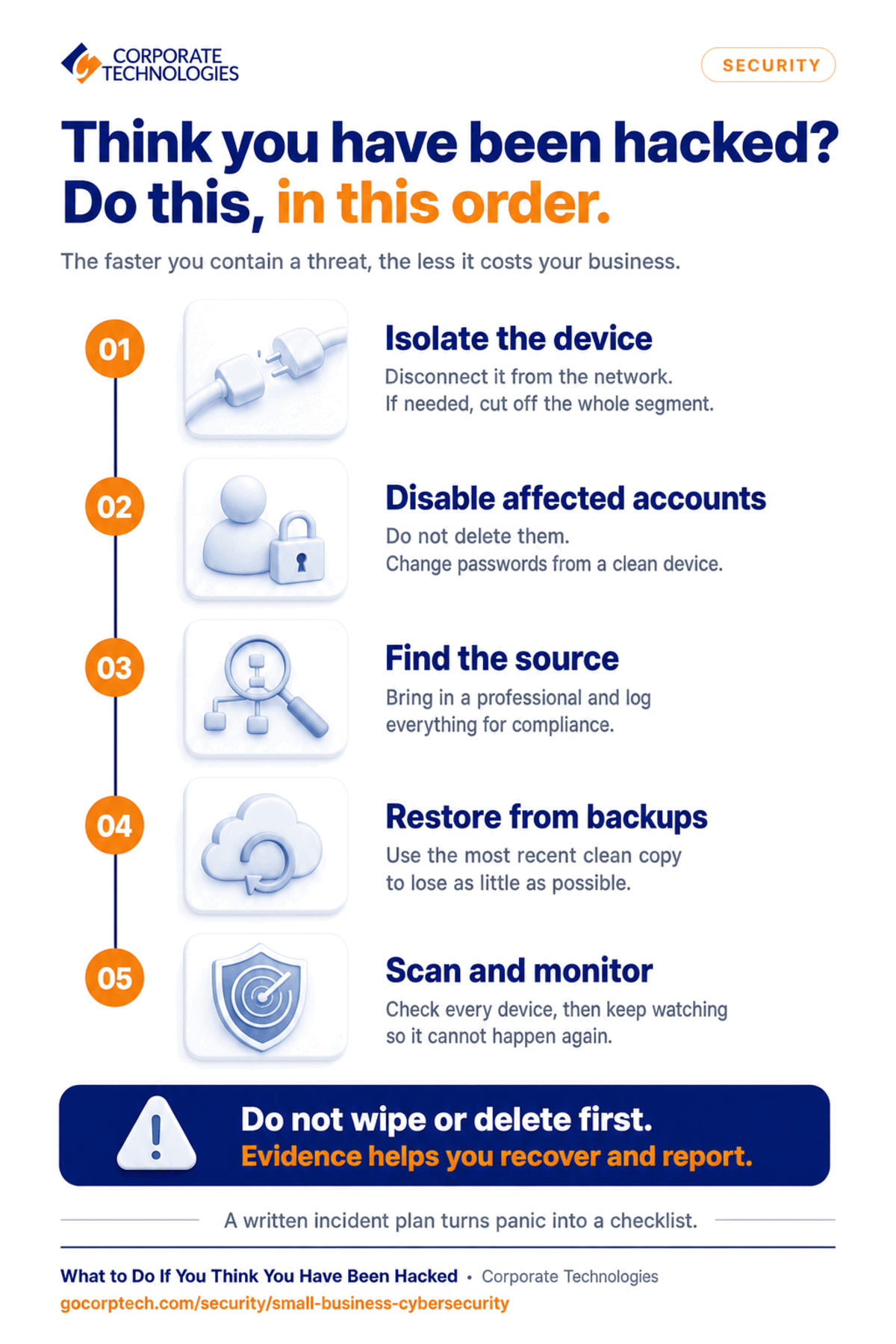
Isolate the Computer or Device from the Environment
Have you ever accidentally downloaded a malicious executable, and antivirus software stops you and puts it in a special folder? In essence, your antivirus software is isolating the malware to protect your computer and the environment. You need to do the same with any threat. This step can be difficult if you don’t know how to isolate it, so the best immediate strategy is to disconnect the computer from Wi-Fi, the network, and the internet. Disconnect the Ethernet cable and turn off Wi-Fi. This will stop the threat from spreading to other machines.
Unfortunately, it’s possible that the threat has already spread, but the sooner you disconnect the affected device, the better. For example, ransomware will scan the network for important files and encrypt them with an irreversible cipher. If this happens to you, you’ll need to restore data with a backup, which is a good example of the importance of backups in your standard IT procedures.
As a last resort, you might need to remove the entire environment from the internet. This step is like using a sledgehammer for a nail, but it might be necessary in an emergency. You’ll stop most malware from “phoning home” to communicate with a hacker-controlled server, but you destroy your productivity if employees need the internet. If you have the training, you could isolate the network segment affected and leave the others to continue productivity. Do this step only if you have no choice and can’t stop the threat on a single device.
To summarize:
- Block the affected machine from internet access by disconnecting the Ethernet cable or Wi-FI
- If you can’t isolate the machine, disconnect the network segment from the internet.
- At worst, you might need to remove the entire environment from the internet at a last ditch effort
Disable Affected Accounts
In many data breaches, an attacker obtains sensitive credentials from employees. Attackers use numerous methods to get these credentials, including malicious emails (e.g., phishing), social engineering, or obtaining passwords from other hacked accounts. If your employees use the same passwords for your network as they do on third-party sites, your network could be vulnerable. Cyber-criminals use legitimate network credentials to install malware or steal data from corporate resources.
After you isolate the threat, you might find that a specific user account is compromised. First, disable the account. This will give you time to gather information on the severity of the data breach. Don’t delete the account. It could interfere with collection of evidence, which you will need for law enforcement. If the account is tied to sensitive information like accounting, make sure you change passwords on these platforms but only with a machine that you know isn’t compromised. Any trojans or keyloggers would obtain access to new passwords, so change passwords on a machine you know is clean.
To summarize:
- Disable any accounts involved in the compromise
- Don’t delete accounts to avoid losing evidence
- Change passwords on important accounts, but do it on a device you know isn’t compromised
Determine the Source of the Breach
Now that the threat is contained and can’t spread using network user accounts, you must determine the source of the data breach. This is important to avoid having the same issue happen over again. You also need it to determine if you fully eradicate it. For example, if you restore data after a ransomware attack but the ransomware persists on the network, you will just suffer from the same incident.
Verizon reports that 60% of data breaches stem from human error. Employees are often your weakest cybersecurity link, so education is important. You must find out if human error was involved or your cybersecurity infrastructure failed. This step might take the help of a professional cybersecurity consultant, but most human error based incidents can be linked to an account.
During your research, you should also log all customer accounts affected by the breach. To comply with certain regulatory standards, you might be required to notify users of their data being disclosed to a third party. For example, if user credit card data was disclosed in the breach, you might be required to send an email to these customers.
To summarize:
- Determine the source of the compromise, which might require a professional
- Educate employees if the source of the compromise was human error
- Ensure any compromise activity is logged to comply with regulatory requirements
Restore Data from Backups
Hopefully, at this point in your incident response, you have backups to restore data. The faster you get to this point, the less money you lose in downtime. Your backups should also have enough data in them to avoid critical productivity loss. Chances are, you will lose some time in productivity, but the goal of an effective backup strategy is to minimize revenue damage with only enough data loss that still allows you to recover and function.
Depending on the amount of data you need to restore, it could take a while to recover. You might need to restore files, email, database files, and other server critical data. All this should be detailed in your disaster recovery plan so that you and your administrators know exactly what to do without missing any critical systems. Restoring data is a stressful time, so a disaster recovery plan can greatly reduce that stress when you have all steps detailed for you.
To summarize:
- Restore data from backups, if you have them.
- Restore data to the most recent point so that you lose as little data as possible.
- Let users know that recovery might take time, so they need to be patient.
Run a Scan on the Environment and Put Monitoring in Place
By now, you should have your data recovered, you know how the environment was breached, and you’ve educated any employees if they are the source of the compromise. It’s time to verify that your efforts completely eradicated the threat from your environment. Run a scan on your entire environment including mobile devices and desktops. Both mobile devices and desktops should have antivirus software installed already, so make sure the software is updated before running a scan. Outdated software can miss newer threats.
Once you know the threat is completely eradicated from the environment, make sure you have monitoring in place. Monitoring software detects a myriad of red flags that could pinpoint malware or malicious activity. For example, some monitoring software takes a benchmark of activity on files and alerts an administrator when too many requests are made to a file that is normally requested only a few times a year. Good monitoring strategies detect, block, and notify to mitigate data breaches early on.
To summarize:
- Scan your entire network to ensure that you’ve eradicated the threat.
- Make sure you scan mobile devices and desktops.
- Deploy monitoring solutions to avoid being re-compromised from the same exploit.
Where to Go From Here?
Proactive monitoring and cybersecurity infrastructure like intrusion detection and prevention improve your security and data protection. Improper deployment of these systems could give you a false sense of security, so you should have a professional help you design and implement these systems. Instead of waiting months to discover a threat and the damage it caused, good cybersecurity infrastructure could reduce detection down to minutes.
Our team is here to help. Let us provide you with a secure solution and a disaster recovery plan to limit damage should you discover you’ve been a victim of a data breach. Contact us today.
Keep reading
More in Security →
Business IT 101
Most SMB Security Stats Are Confident Claims. We Published the Operational Data Instead.
We published our real Q2 2026 operational data across ~1,700 SMBs, including a patch number that dropped 29 points the moment we…

Business IT 101
Patch Management Explained: Why Unpatched Systems Get Breached
Learn why patch management is critical for business security. Discover how unpatched systems get breached, real-world examples like WannaCry, and how Corporate…

Business IT 101
AI in Cybersecurity: What It Really Means for Small and Mid‑Sized Businesses
Explore AI in cybersecurity and discover its impact on small and mid-sized businesses in today's digital landscape.
Free, same business day
What would managed IT cost for your team?
Tell us how many computers and users you have. An engineer sends a per-user range, usually the same business day. No credit card, no bot.
- Live service specialist in about a minute, 24/7
- 21 offices across 18 states
- 60-day money-back guarantee
Get your instant IT support estimate
Tell us how many computers and users you have and we send a per-user range, usually the same business day.

